Overview
Daily Wallet Deductions is a feature that will grant Kazang the ability to deduct a set amount of money from a principal amount taken up by our vendors. The principal amount taken up by the vendor can vary and the deductions set in place by Kazang will not impact the physical trade of the vendor.
Some scenarios where the Daily Wallet Deduction can be implemented is:
- When a vendor is short on funding to complete a supplier payment, so Kazang will step in to complete the payment to the supplier on behalf of the vendor and Kazang will in-turn recoup the amount allocated to the vendor.
- When a vendor receives funds in error due but however continues to trade with the funds. Should the funds be insufficient for the vendor to repay that amount upfront, Kazang will then continue to set up a Daily Wallet Deduction to recoup the funds that were incorrectly allocated.
How will the Daily Wallet Deduction process work?
This will all be configured on Content Ready aligned to the vendors account. The Accounting Tab on Content Ready will be updated with the Daily Wallet Deduction option on the respective dropdown menu.
There are important factors to note down on the summary screen after selecting the Daily Wallet Deduction option on Content Ready:
- By selecting the "Add New Daily Wallet Deduction" option, this will allow one to create a new record on the account of vendor for a wallet deduction.
- One will also be able to see all records of active or inactive wallet deduction recorded on the vendor's Kazang account and to the type of deduction that was taken up at any given time.
- Other financial amount information that can be seen on Content Ready under the Daily Wallet Deduction option is:
- The Principal Amount
- The Daily Deduction Amount
- Repayment Period
- Fees (where applicable)
- Discount Values (where applicable)
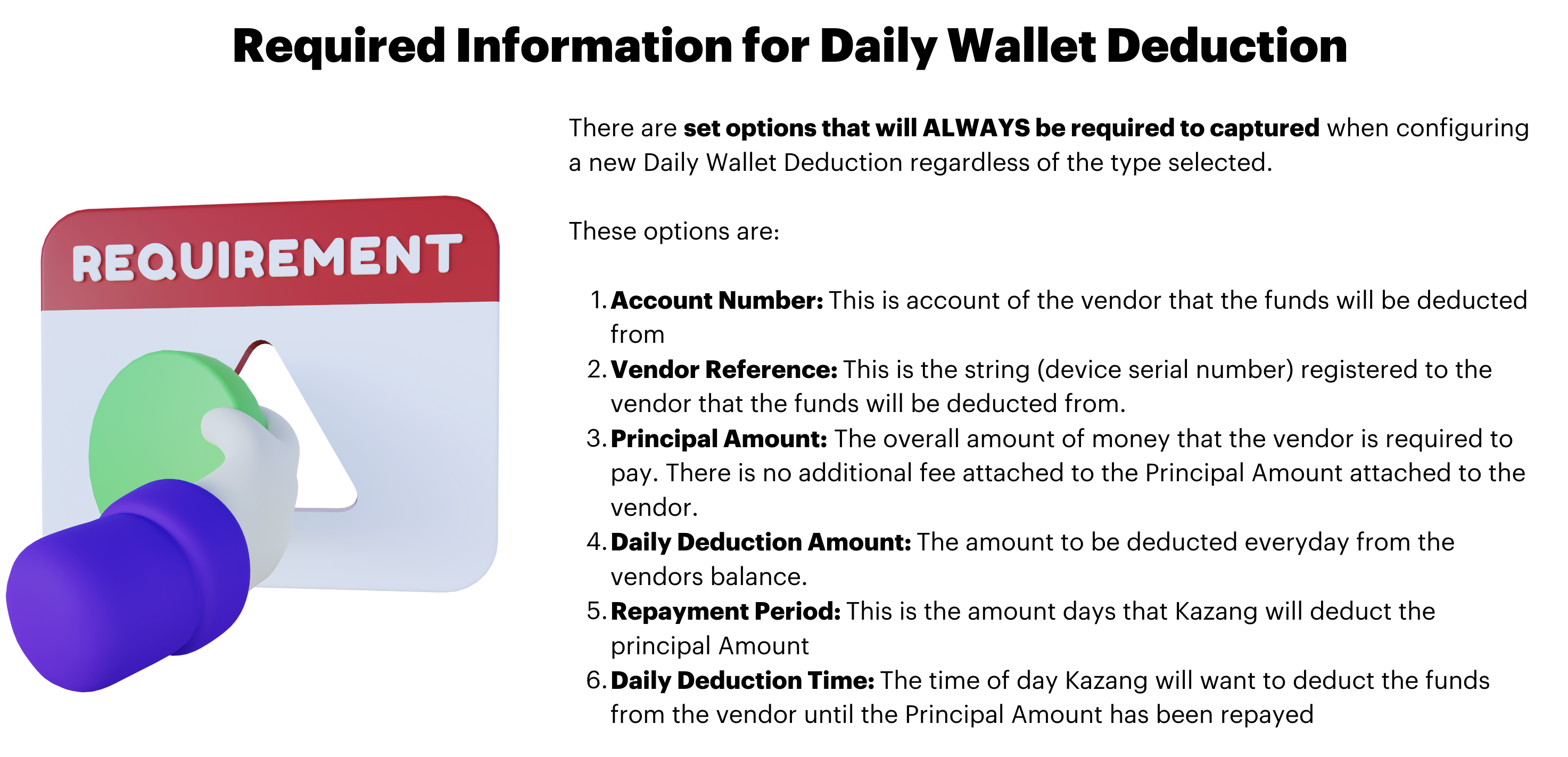
The below are the set options that will ALWAYS be required to be captured when configuring a new Daily Wallet Deduction regardless of the type selected:
Type of Daily Wallet Deduction?
There are 3 types of Daily Wallet Deduction that are available to our vendors:
| Daily Wallet Deduction Type | Summary |
Capital Repayment | This is the simplest Daily Wallet Deduction option type that is available |
Partnered Invoice Factoring | This option type will be where Suppliers and Payments will be linked for repayment |
Miscellaneous Debt Repayment | This option type is where the vendor can be incentivised for activating the Daily Wallet Deduction or settle the Principal Amount early. |
When updating the option type offered and accepted by the vendors, each wallet deduction type will have its own additional set of values required. The required details for each option type are:
| Daily Wallet Deduction Type | Required Details |
Capital Repayment | No additional detail required to be captured |
Partnered Invoice Factoring |
|
Miscellaneous Debt Repayment |
|
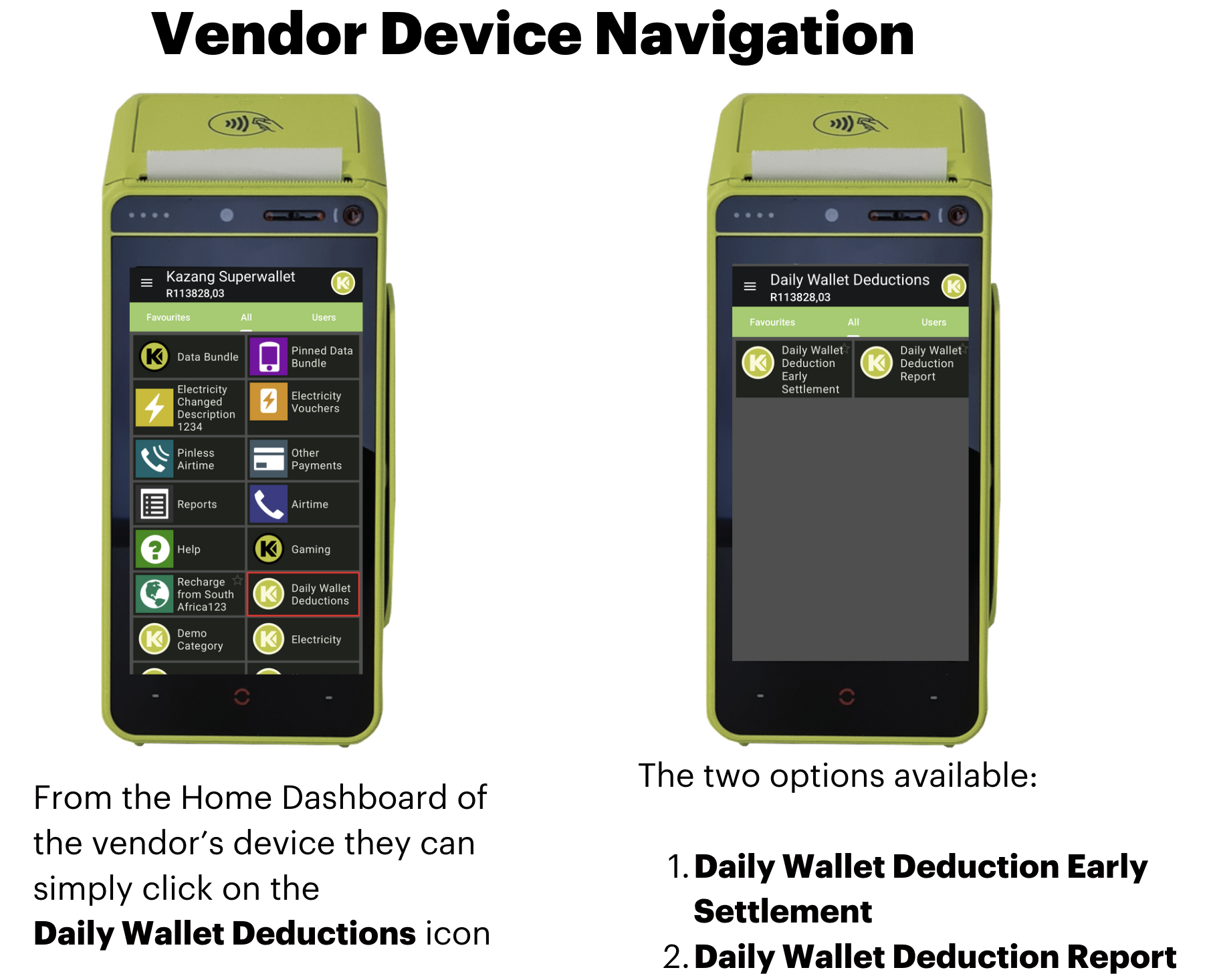
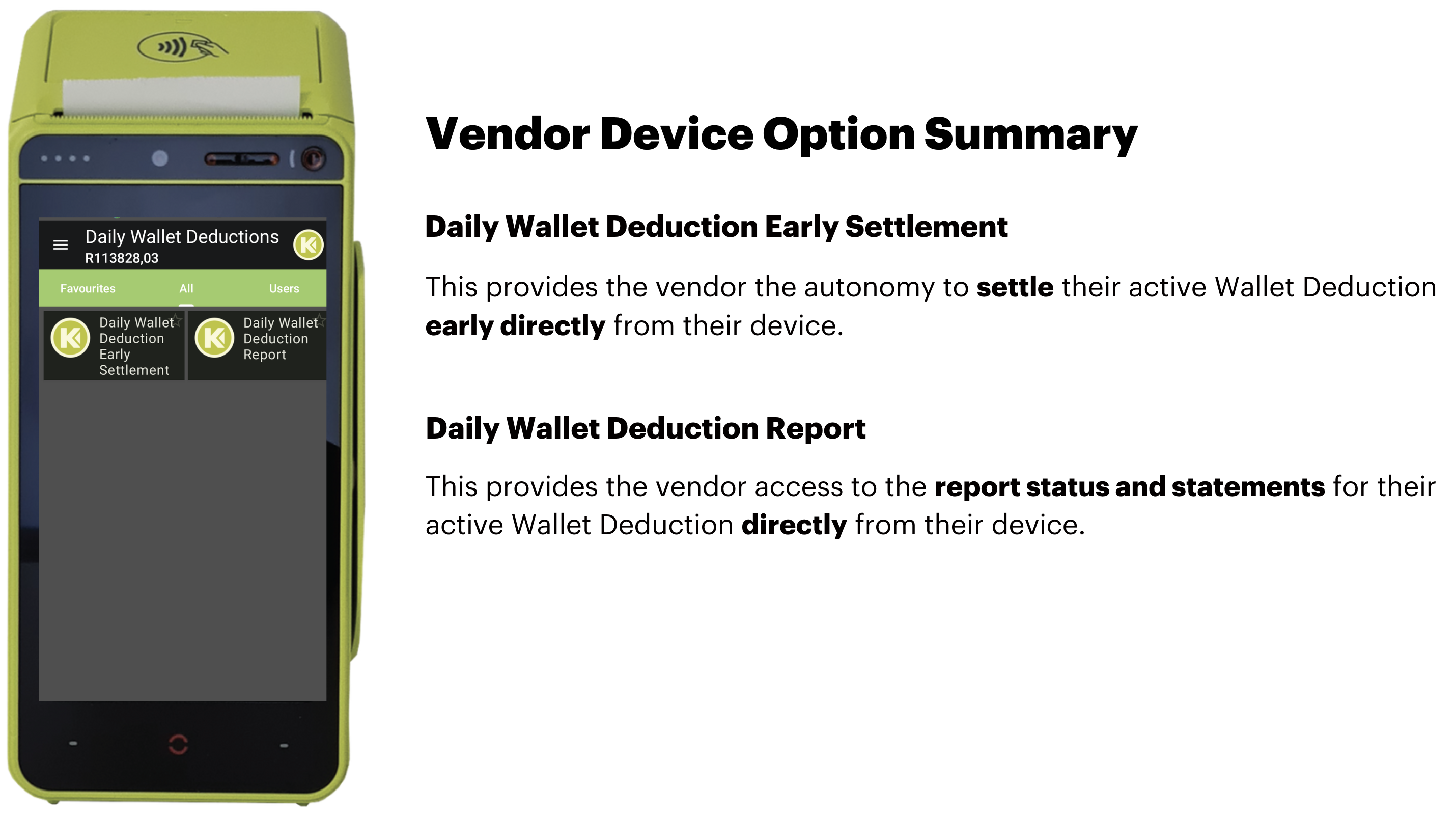
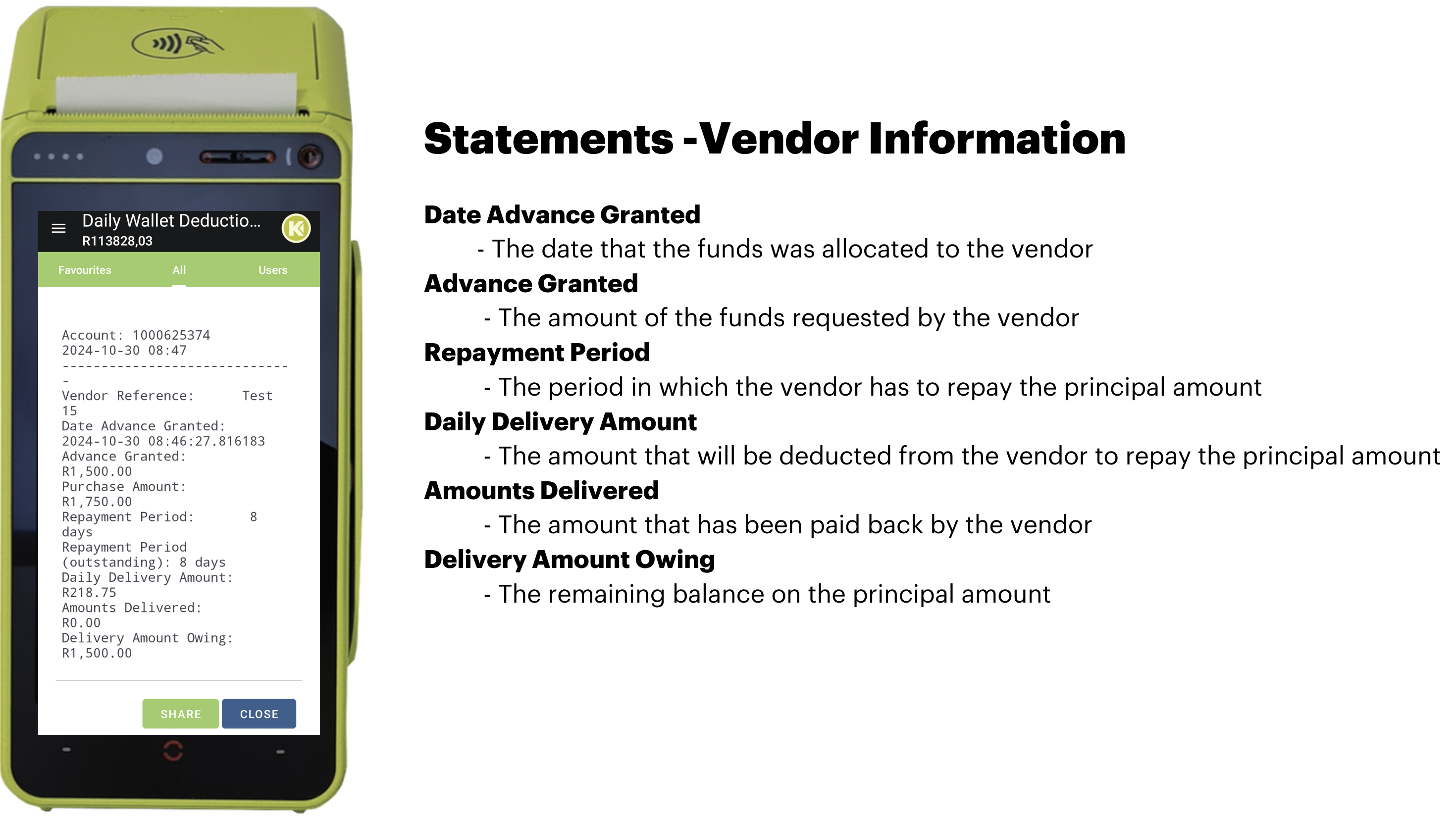
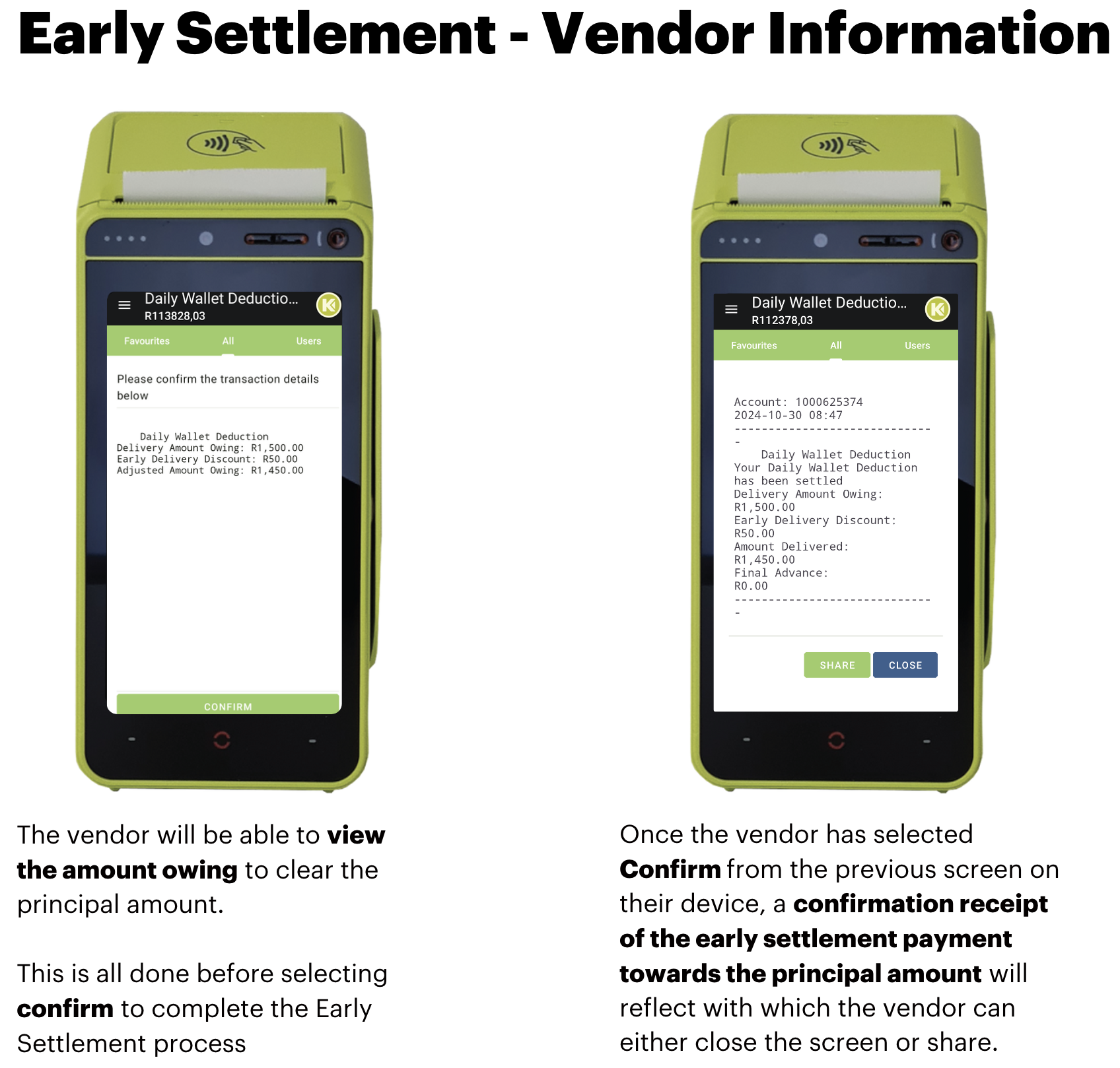
Daily Wallet Deduction Vendor Information

*Have we missed anything in this article?
Email learninganddevelopment@kazang.com should you need any more information to be added onto this article.
Was this article helpful?
That’s Great!
Thank you for your feedback
Sorry! We couldn't be helpful
Thank you for your feedback
Feedback sent
We appreciate your effort and will try to fix the article