Overview
Kazang vendors now have the autonomy to process the Social Relief of Distress (SRD) grant directly from the registered Kazang devices.
This enhancement empowers vendors to provide faster, more convenient access to vital government assistance, particularly for customers in underserved or remote areas.
The feature aims to streamline grant disbursement and ensure that financial support reaches those who need it most, effectively and securely.
Vendor Requirements
To ensure successful service delivery when processing the Social Relief of Distress (SRD) grant, Kazang vendors must have sufficient physical cash available on hand to pay out the grant to eligible customers upon request.
It's important to note that the amount given to the customer will be deducted from the vendor's device wallet and reimbursed to the vendor almost instantly through their earned commission.
Customer Requirements
In order for customers to successfully withdraw their Social Relief of Distress (SRD) Grant from any of our registered Kazang vendors, they must provide the following essential information at the point of transaction:
- Identity Number
- Cellphone Number
This information is required to validate the customer's eligibility and ensure that the correct individual receives the Social Relief Distress (SRD) grant.
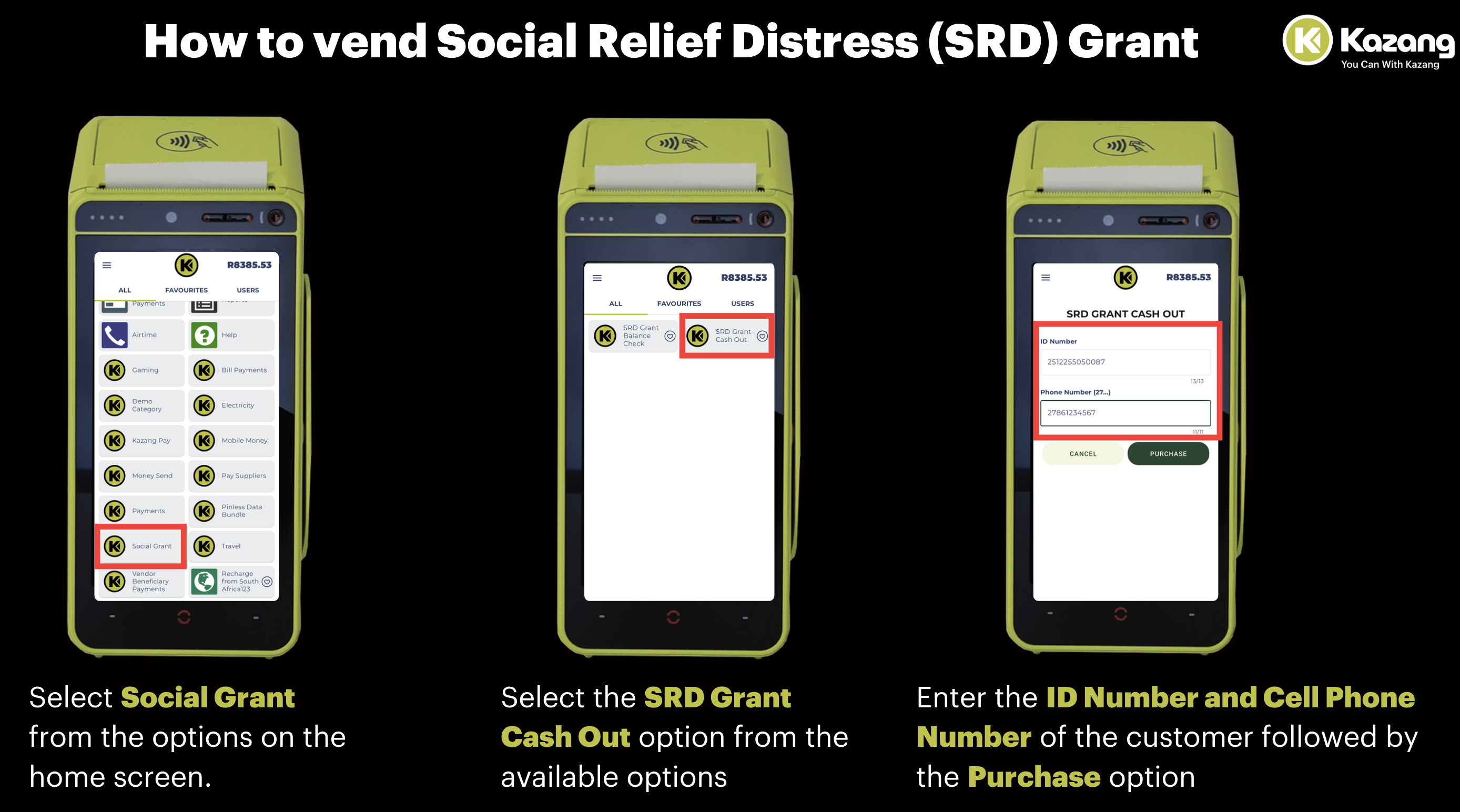
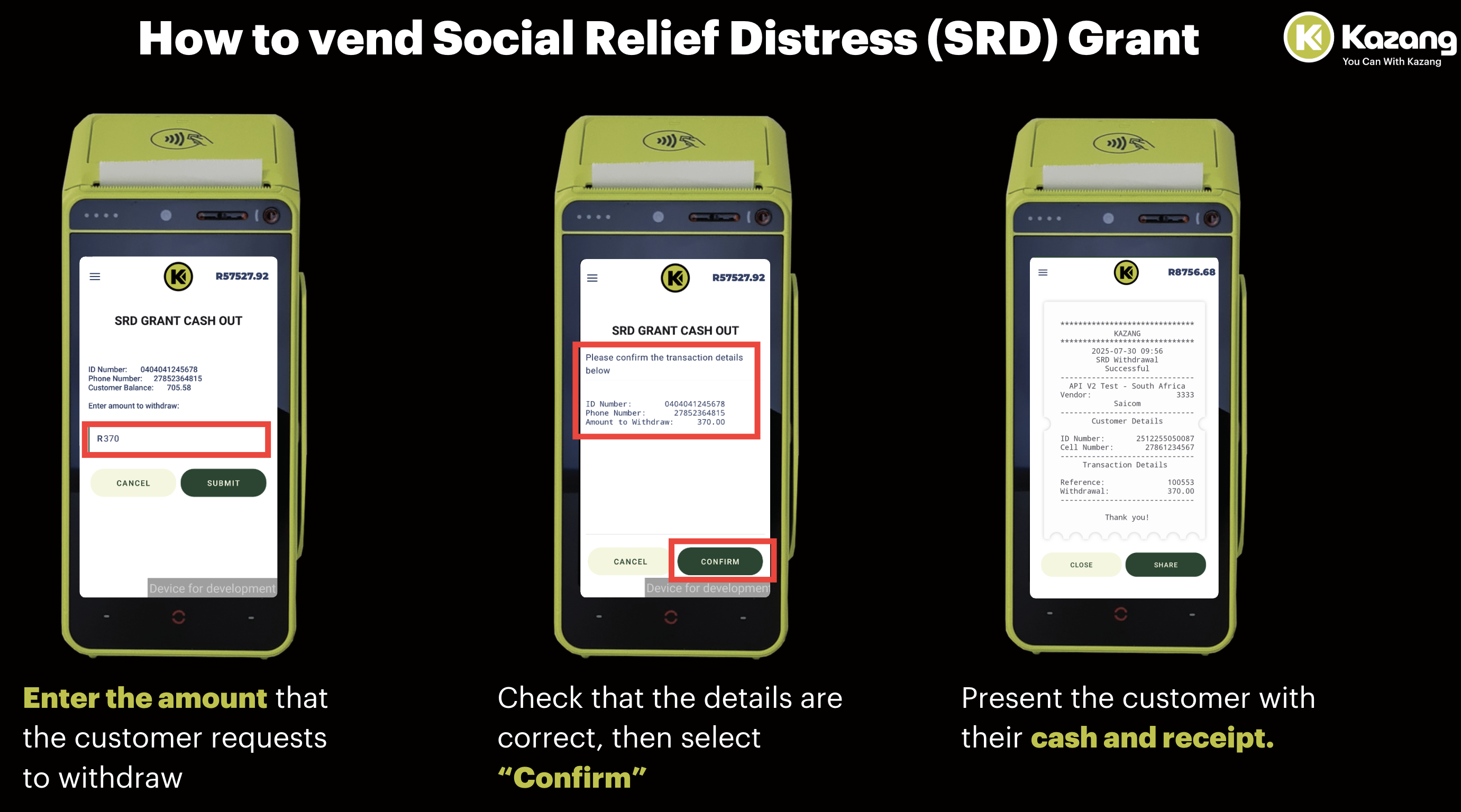
Device Navigation - Cash Out (Vendor Information)
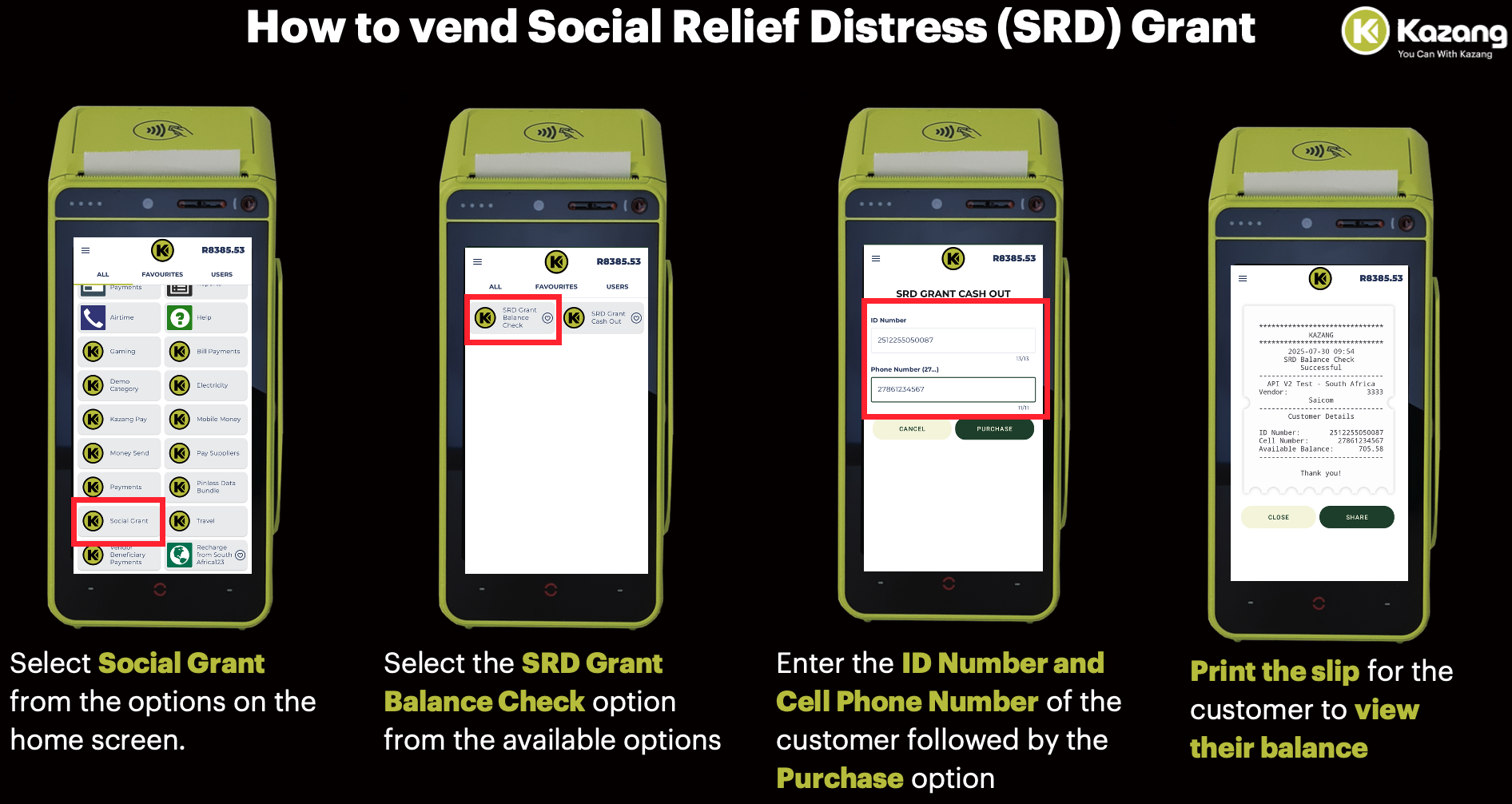
Device Navigation - Balance Check (Vendor Information)
Frequently sked Questions
Question | Answer |
| What amounts can the vendor process for the SRD Grant request on their device? | The vendor can process withdrawals for any amount requested by the customer, provided there is a sufficient balance available in the customer’s account. This is removing the previous stipulation of withdrawing in multiples of R370. |
| Must the customer withdraw all their SRD Grant money? | It is entirely at the customer’s discretion whether they choose to withdraw their full available balance or only a portion of it, depending on their specific needs at the time of the transaction. |
| Will the vendor be compensated after completing the SRD Cash Out? | Yes, the vendor will be compensated when they receive their commissions from Kazang when they complete a SRD Grant Cash Out. |
| What is the maximum amount that the customer can withdraw from our vendors? | Customers now have the ability to withdraw a maximum amount of R3000 when withdrawing funds from their SRD grants. |
| What is the daily limit for the number of times a customer can process a withdrawal for the SRD Grant? | Customers can only have a maximum of 4 individual withdrawal transactions per day. This is regardless of whether they reach the maximum withdrawal limit of R3000. Should customers attempt a 5th withdrawal, the system will display an error message preventing them from proceeding. |
Error's related to SRD transactions
Error Message | Device Error Message Summary | Device Error Message Image |
| Beneficiary Not Allowed | The customer is not registered or eligible to receive a Social Relief Distress (SRD) Grant. The customer's payment information is neither recognised by the banking system (NetBank) to process grant payments. | 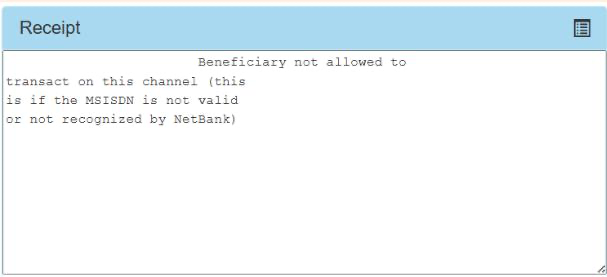 |
| Transaction timed out - reversal sent | This occurs due to network connectivity that creates a timed session between the respective banking and payment systems. These systems are Sensorit and Postbank. In the event that the customer is debited, the funds will be reversed back to the customer with no impact. | 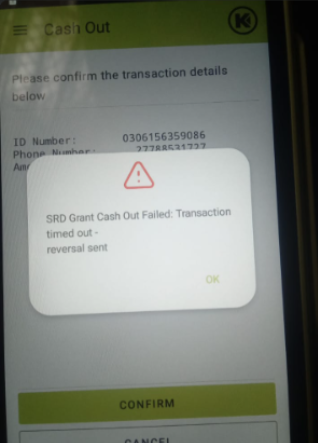 |
Escalation Matrix
It is the responsibility of the assigned Contact Centre agent assigned, to complete all necessary check before escalating the query to the Technical Support Team for resolution.
All troubleshooting steps to be captured under the notes session of the Freshdesk Ticket before escalating to the Technical Support via Freshdesk.
*Have we missed anything in this article?
Email robin.williams@kazang.com should you need any more information to be added onto this article.
Was this article helpful?
That’s Great!
Thank you for your feedback
Sorry! We couldn't be helpful
Thank you for your feedback
Feedback sent
We appreciate your effort and will try to fix the article