Overview
Our EasyPay gaming voucher since its launch and inception has garnered much favour with in our customer community and has grown significantly over the brief space and time since its launch. Since the launch, our EasyPay voucher has now been rebranded to 4ALL/EasyPay.
It is just a name change and all our customers and vendors still get to enjoy the massive benefits of this voucher nationwide.
What are the benefits of the 4All/EasyPay voucher?
The benefits of the 4ALL/EasyPay voucher are vast that benefits both our customers and vendors. Below is brief summary of the benefits that are available for both our customers and vendors
Customer Benefits | |
| Valued Gaming Partners | Customers can use the 4All/EasyPay voucher at any of our trusted online gaming partner websites. Some of our key partners are:
And so much more... |
| Range of Benefits | Through our trusted partners, our customers have access to a range of benefits when using the 4ALL/EasyPay Voucher. These benefits range from Gaming, Airtime and Fibre payments to name a few. |
Vendor Benefits | |
| Any Amount Denomination | Besides our standard denominations ranging from R5 up to R1000, our vendors can vend a voucher for Any Amount that the customer requests. This allows the customer to continue to enjoy or partner benefits based on their pocket. |
| Voucher Reversal | Vendors can reverse a 4ALL/EasyPay voucher directly from their registered device. This minimises the time and effort for the vendor to contact us for support and they can continue serving our customers. |
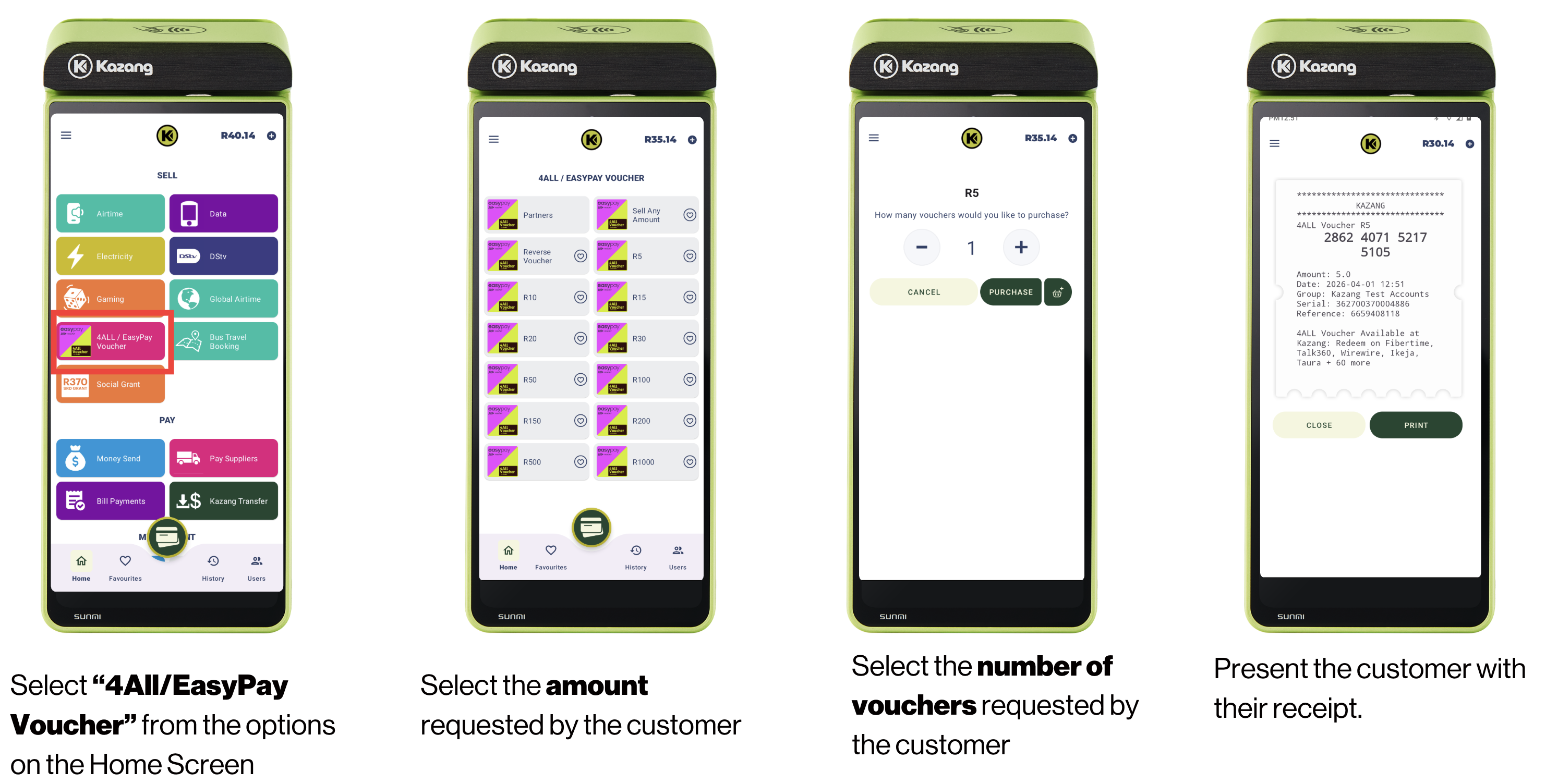
How does a vendor vend a 4ALL/EasyPay voucher from their device?
Our vendors can complete the vending purchase of the 4All/EasyPay voucher by following the below steps:
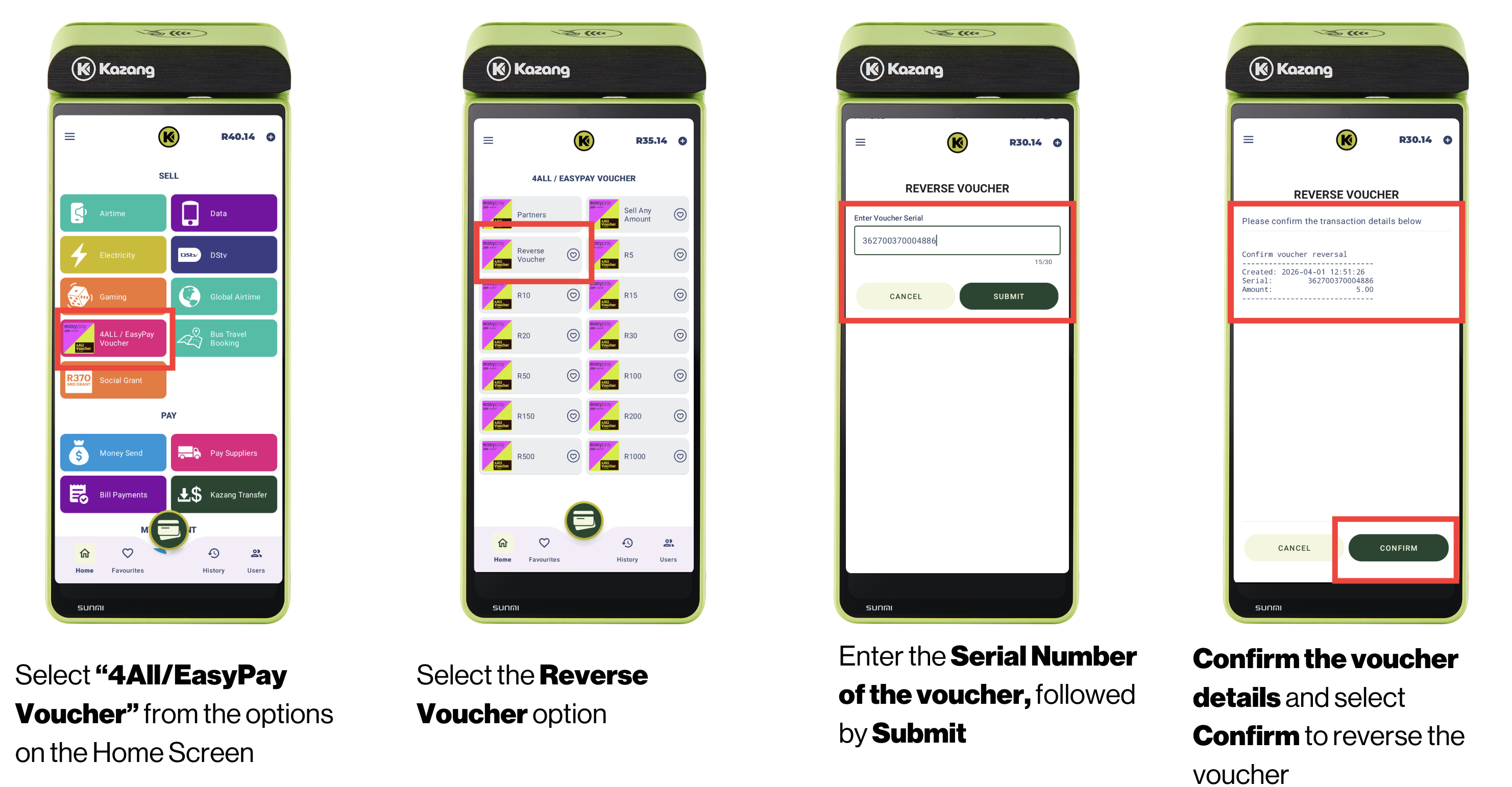
How does a vendor reverse a 4ALL/EasyPay voucher from their device?
Our vendors can complete the vending purchase of the 4All/EasyPay voucher by following the below steps. Once the voucher has been reversed, the amount will reflect back into their wallet balance.
Device Errors
During the vending process, errors may occur that may prevent the transaction from going through. Below are the highlighted key errors specifically related to the reversal process that vendors may come across during this process.
4ALL/EasyPay Voucher Error Messages | ||
Error Message | Error Message Summary | Image |
| Voucher Reversal Failed: Voucher does not exist | This error appears when the vendor has entered the incorrect serial number of the voucher that they wish to reverse | 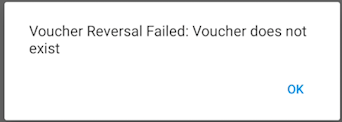 |
| Voucher Reversal Failed: Voucher has already been reversed | This error appears when the vendor is trying to reverse a voucher that has already either been used by the customer or refunded already | 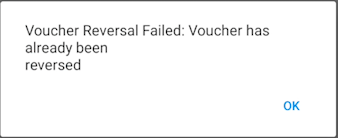 |

*Have we missed anything in this article?
Email learninganddevelopment@kazang.com should you need any more information to be added onto this article.
Was this article helpful?
That’s Great!
Thank you for your feedback
Sorry! We couldn't be helpful
Thank you for your feedback
Feedback sent
We appreciate your effort and will try to fix the article