EasyPay Vouchers (Any amount)

Modified on Fri, 26 Apr, 2024 at 12:24 PM


Our EasyPay any amount voucher makes life so much simpler for both our vendors and staff. Not only can our vendors choose from a list of voucher denominations, they can also choose to enter any amount if the denomination that they want is not available. 


Further to this, our vendors now have the power to refund these (EasyPay Any Amount) vouchers themselves directly from their device. Cool, right? 


We have included a video below that will show you the following four scenarios: 


  1. How to print an EasyPay any amount voucher 
  2. Which error shows when an incorrect serial number is entered when trying to refund. 
  3. A successful voucher refund.
  4. Which error shows when trying to refund a voucher that has already been refunded. 


Steps to print voucher: 

  • Sign in to your Kazang account. 
  • Click on Gaming
  • Click on EasyPay Voucher
  • Click on Any Amount
  • Enter the amount you wish to purchase and click submit
  • Click on confirm
  • Your voucher will now print from the device.


Steps to refund the voucher:

  • Sign in to your Kazang account. 
  • Click on Gaming
  • Click on EasyPay Voucher
  • Click on Reverse Any Amount
  • Enter the voucher serial correctly and click on submit
  • Click on confirm
  • Your voucher has now been refunded back to your balance. 


ERRORS


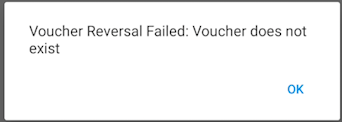
This error will appear when the vendor has entered an incorrect voucher serial when trying to refund the voucher on their device. 


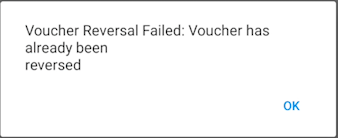
This error will appear when the vendor is trying to reverse a voucher that has already been refunded. 


Was this article helpful?

That’s Great!

Thank you for your feedback

Sorry! We couldn't be helpful

Thank you for your feedback

Let us know how can we improve this article!

Select at least one of the reasons
CAPTCHA verification is required.

Feedback sent

We appreciate your effort and will try to fix the article