Easypay Deposit
Kazang has made it easy for vendors to load funds into their Kazang wallet by using the Easypay deposit and they can do that by visiting their nearest Boxer, Pick’n’Pay, Lewis and Woolworths retail stores to make the deposit.
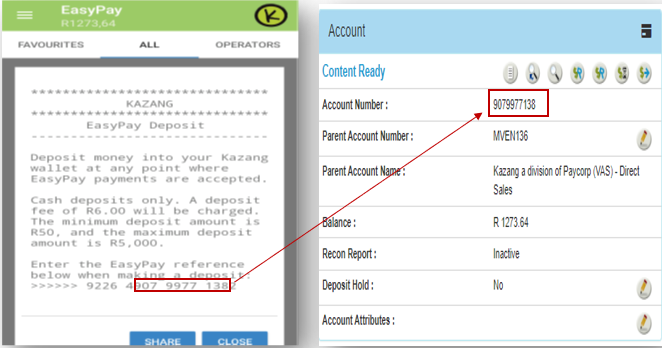
They’ll use their Easypay number which is unique for every vendor as it consists of their Kazang 10-digit reference number, the number is a 16-digit number, and the 1st 5 numbers are Easypay generated. The number does not change, it stays the same throughout.
How-to guide
The guide below shows how to access the easypay number on the vendor’s side.
1. Select Load Funds on the main menu.
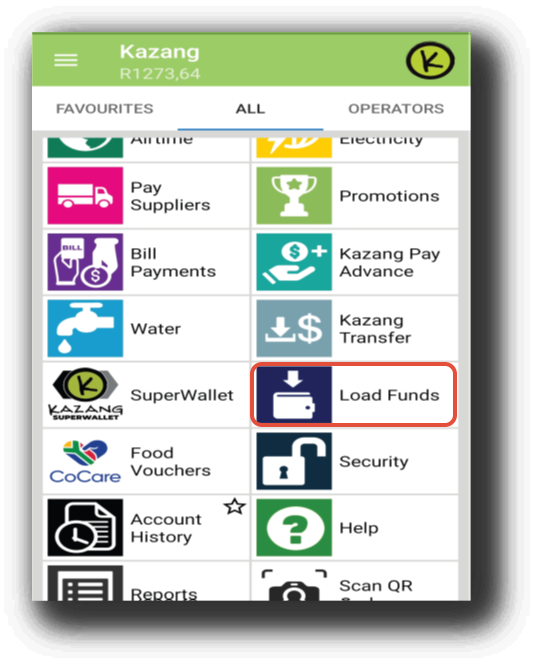
2. Select your preferred method of depositing.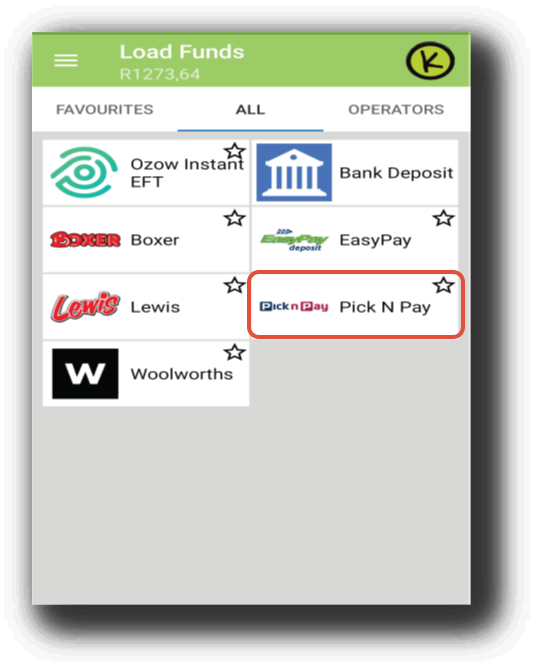
3. EasyPay reference at bottom of the slip to make a deposit.
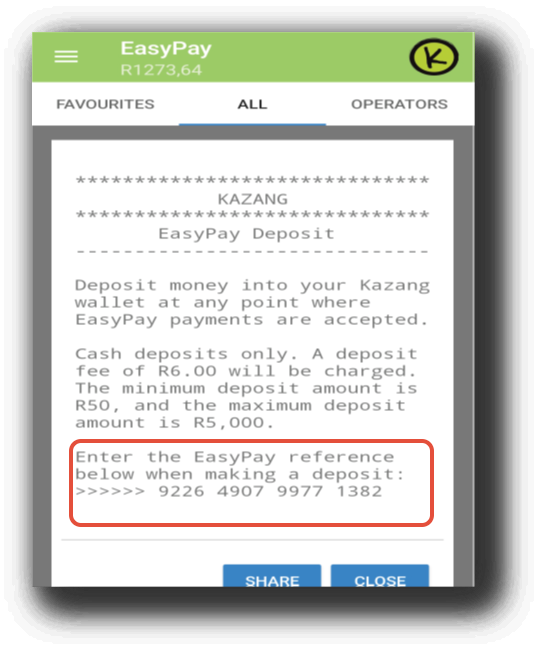
EasyPay number VS Wallet ref
The easypay reference number is shown below, with the Kazang waller reference number highlighted in the middle. You can use that highlighted on CR to get the vendor's account details or to make sure you're dealing with the right vendor.
After printing the receipt from the device, the vendor will take it to the retail store that they had selected on the device. They’ll the give the receipt to the teller/cashier in the store, who’ll then enter the easypay reference number or scan the barcode at the bottom part of the slip. The vendor will provide the cash they wish to deposit after the teller has entered the easypay number.
If the vendor enters an incorrect Easypay number or the teller enters an incorrect Easypay number, the transaction will fail because all our Easypay numbers are validated in the backend. If a vendor deposit using an Easypay number that does not belong to them, they can always request that the recipient of funds perform a VCD because we do not correct these on Content Ready, you can only deposit using an Easypay number that once has access to.
Before we can process this payment, Kazang will receive a notification that the transaction has been completed. A R6 Standard fee will be applied to the amount deposited. The fee remains constant, regardless of the amount deposited. It can take up to ten minutes for the deposit to be reflected.
The Easypay deposit function is only available for cash deposits because using a credit/debit card may result in Kazang being charged slightly more by retail stores. R5000 is a maximum amount that a vendor can deposit at a time, but they are allowed to perform multiple deposits if the cashier/teller allows.
The same procedure applies to Superwallet account; the deposit will be placed on deposit hold, and the vendor can choose to transfer the funds to their other normal account or proceed in the Superwallet account; the R6 standard fee will still apply.
EasyPay Deposits on CR
All deposits for Easypay deposits will reflect on CR under the Accounting tab, this will show all processed deposits and unprocessed one’s.
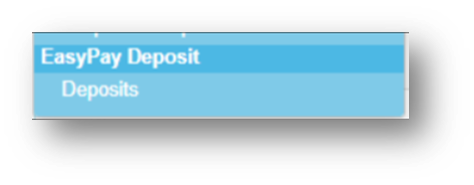
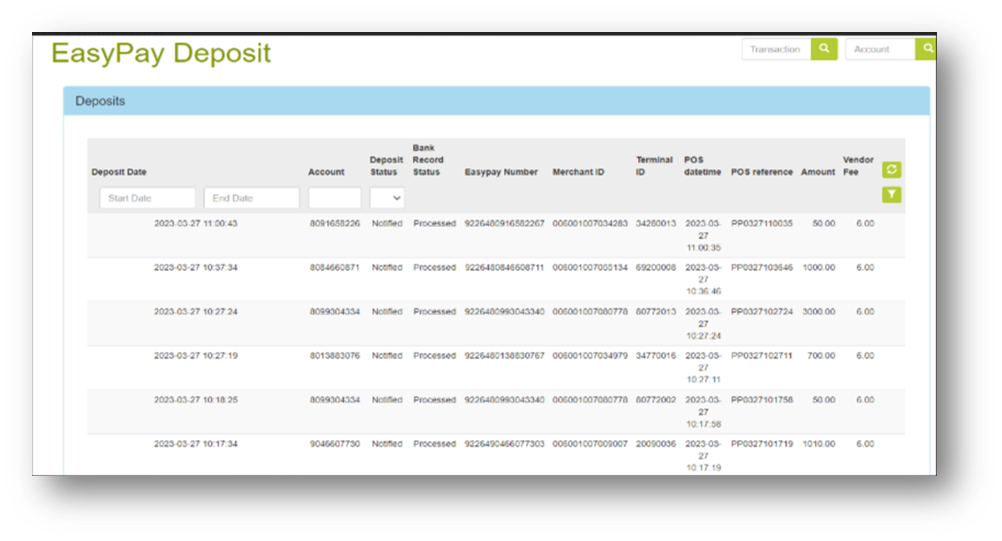
Report 483, which shows all successful Easypay deposits, is also available on CR under the Report tab.
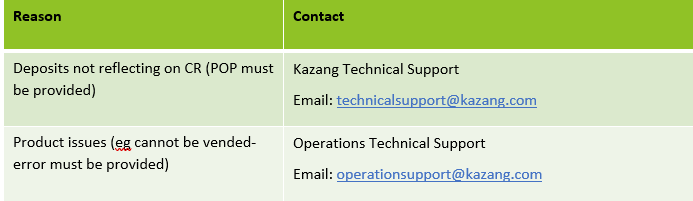
Escalation Matrix
*Have we missed anything in this article?
Email jason.ariefdien@kazang.com should you need any more information to be added onto this article.
Was this article helpful?
That’s Great!
Thank you for your feedback
Sorry! We couldn't be helpful
Thank you for your feedback
Feedback sent
We appreciate your effort and will try to fix the article