
Overview
Kazang and Blu Label currently have a referral agreement in place called Project Indigo. This will see the latter company (Blu Label) turning off their Value Added Service (VAS) devices by the end of December 2024 and allow Kazang to churn (take over) almost 11 000 active devices that currently belong to Blu Label.
Who is responsible for the churning (take over) process and how is this completed?
Our Field Teams will be tasked with the responsibility to churn (take over) the current Blu devices currently active in vendors stores and to install a Kazang device on the premises. Should a vendor accept the terms and conditions offered by our Field Teams, the "Indigo Lead Visit" form on the Geofield by the onsite rep.
Remember it is solely the vendors discretion to accept that their Blu device be churned (taken over) by a Kazang device from our Field Teams.
What happens if there is still a balance on the vendors Blu device that has been uplifted?
Should there be a remaining balance on the Blu device, the onsite rep MUST transfer the remaining balance on the Blu device to the newly installed Kazang device. This will be the final step in the churn (take over) that the rep MUST complete when completing the uplift process.
This transfer is to be completed via EasyPay Bill Payments method from the vendors Blu device.
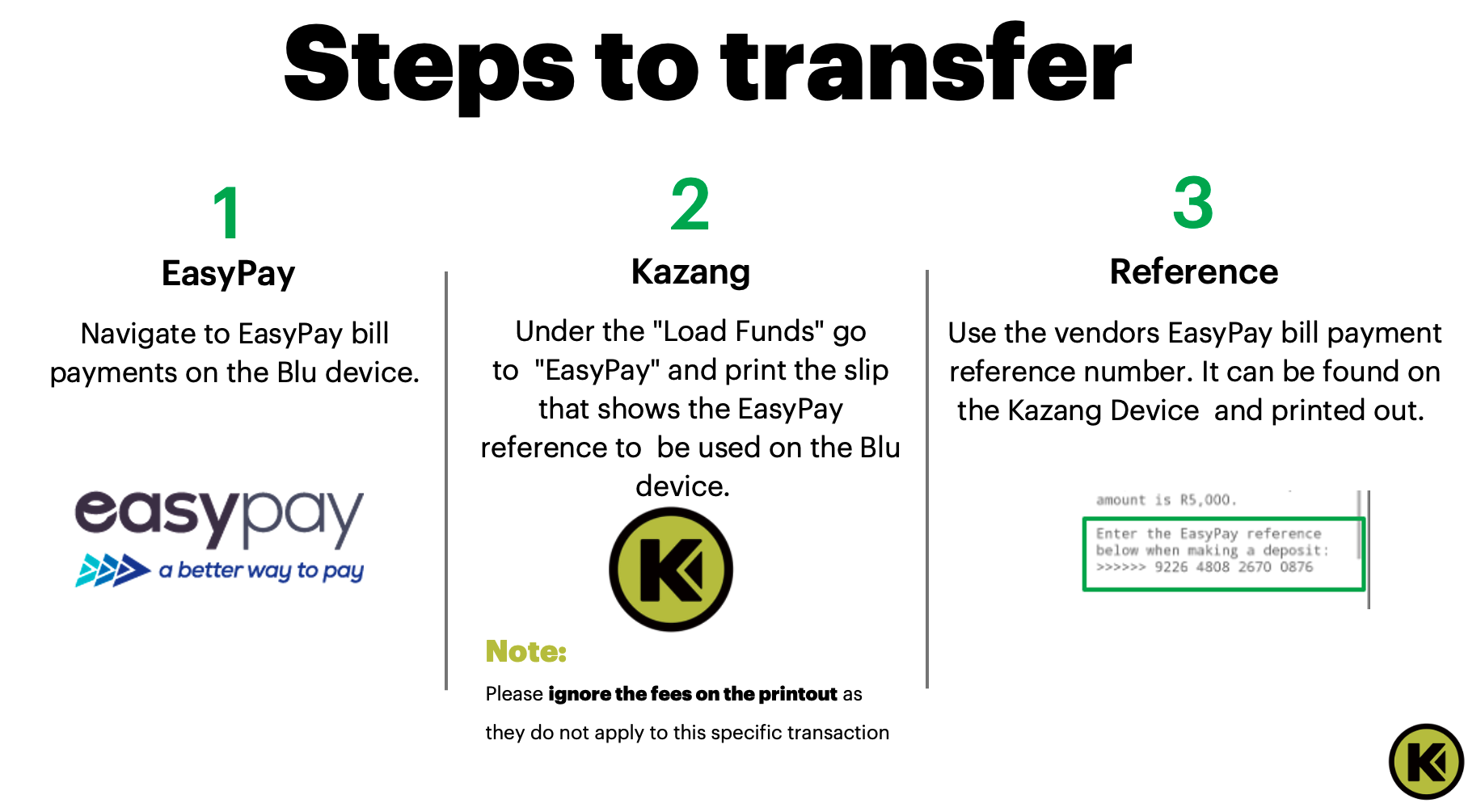
How will the remaining funds be transferred?
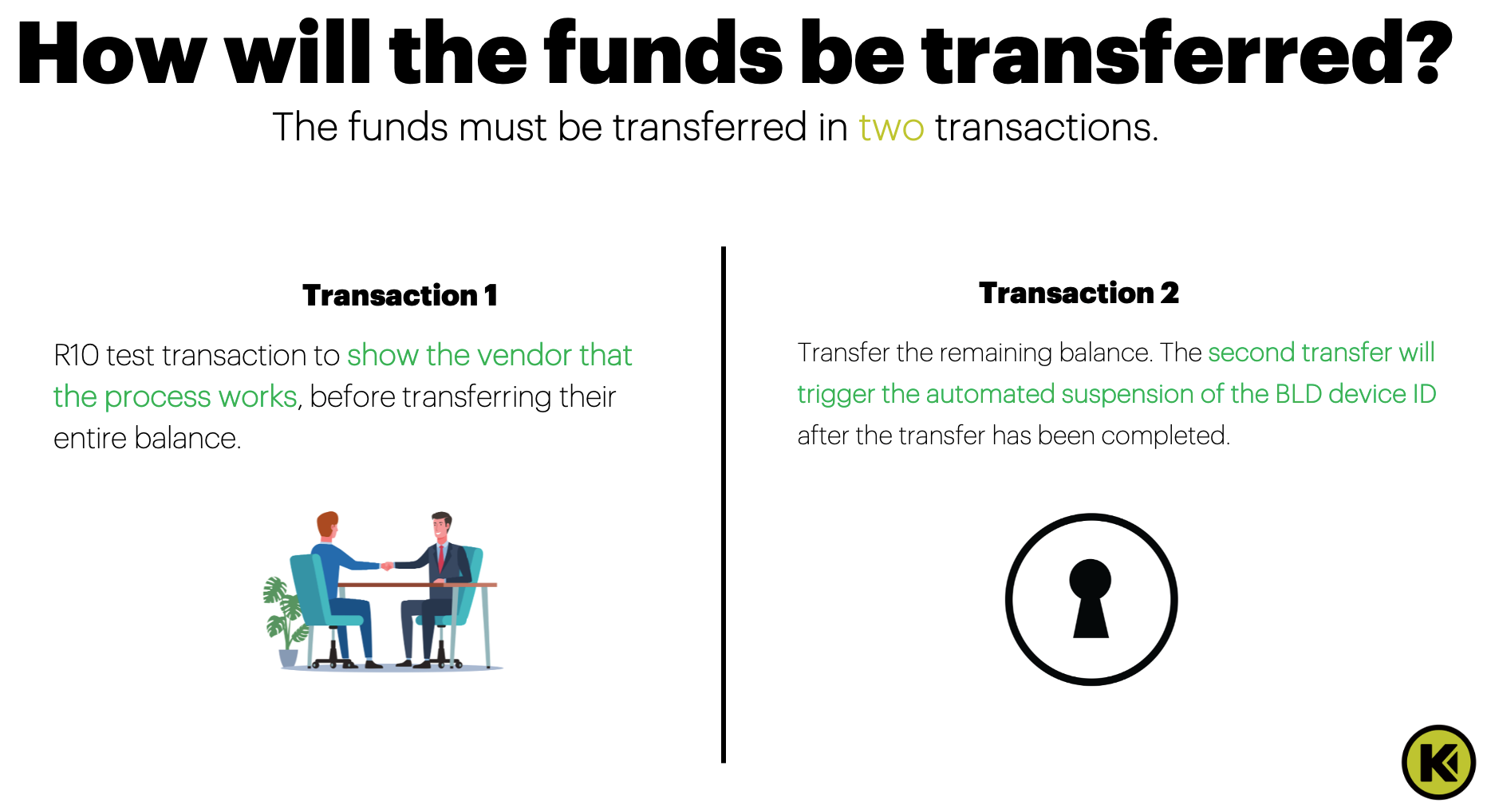
The transfer of the funds will be completed in 2 transactions. After completing the 2 required transactions, this will ensure that the vendor will now be active and be immediately available to start vending on the newly installed Kazang device.
Please note that if the vendors primary bank account is Standard Bank, the initial transaction will take up to 48 hours to reflect. This is due to the IT Security restrictions set up in place from Standard Bank and Kazang is unable to override this.
Remaining Funds Transfer Process | ||
Action Step | Action Summary | Additional Information |
| Step 1 | Transaction 1 - TEST TRANSACTION | The onsite rep will firstly complete a test transaction to the value of R10 to demonstrate to the vendor that the process works effectively before transferring the remaining balance on the Blu device |
| Step 2 | Transaction 2 - BALANCE TRANSFER | With the initial test transaction complete, the onsite rep will now proceed to transfer the remaining balance from the Blu device onto the newly installed Kazang device, which will then once complete, automatically trigger the suspension of the Blu device. |
 | ||
What are the key factors that may impact the balance transfer of the vendor?
Below is are key highlighted factors that may impact the balance transfer completed by the vendor:
Scenario | Scenario Summary |
EasyPay Transfer Limit | The maximum amount at one given time for any transaction during the Blu Indigo process is R50 000 and the minimum amount required is R10.00 |
Remaining Balance | If there is a remaining balance on the Blu device after the 2 required transactions have been completed, the onsite rep MUST contact the Blu Label customer care and request to open the account to complete the transfer of the remaining available balance. Another factor that can impact the balance transfer process is the balance to transfer the remaining balance was completed in one bulk transaction and not the required two transactions. In this instance, the onsite rep MUST contact the Blu contact centre. |
Two or More Transactions | Reiterate to the onsite rep that the balance transfer from the Blu device to the newly registered and installed Kazang device needs to be completed via the 2 required transactions so the vendors Blu account can be locked automatically. |
Where can we locate the banking details for the vendor?
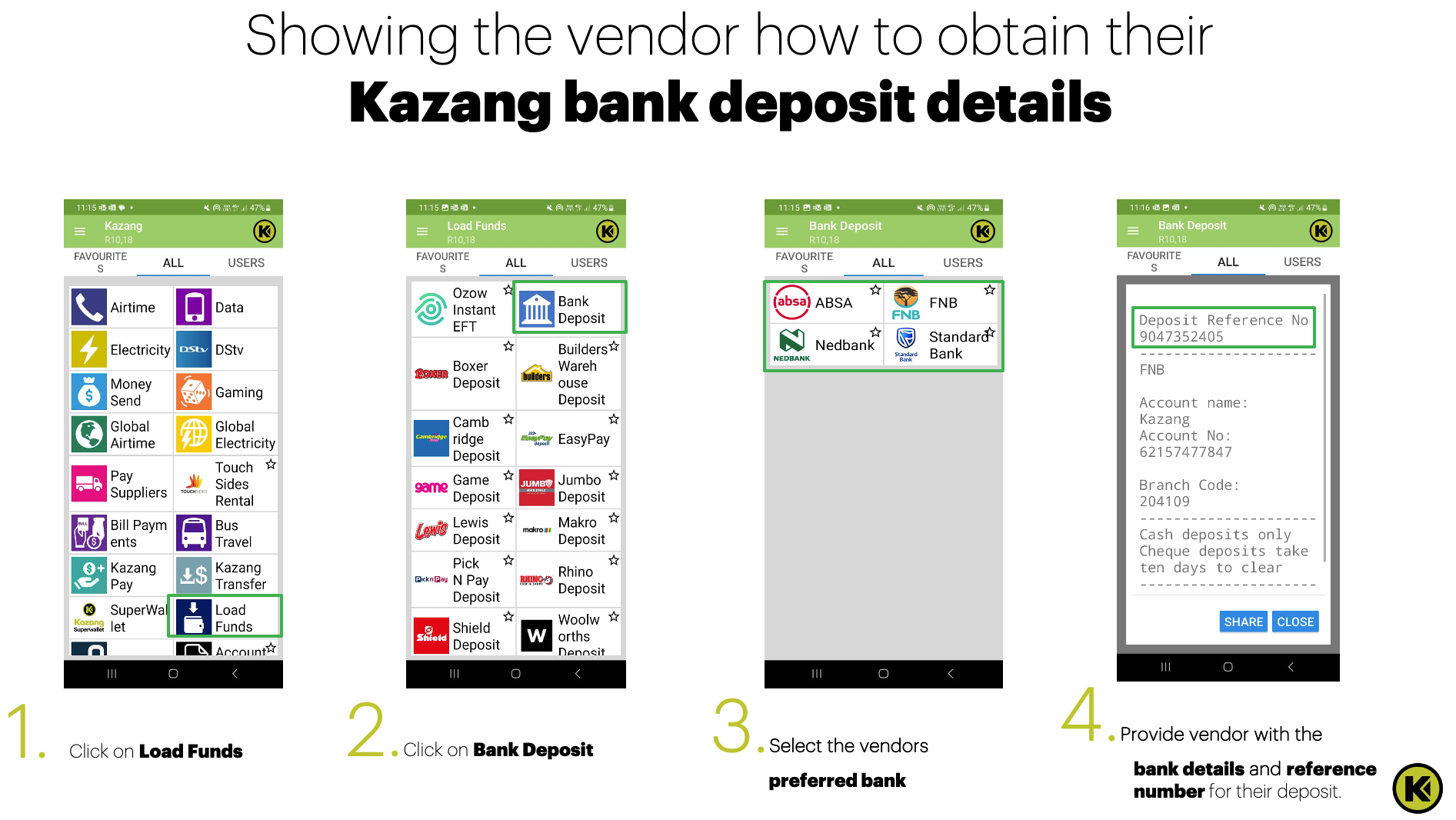
The vendor can locate there Kazang Bank Deposit details on their registered device by following the below steps:
Action Step | Action Summary |
| Step 1 | Click on Load Funds |
| Step 2 | Click on Bank Deposit |
| Step 3 | Select the Vendors preferred/current bank |
| Step 4 | Provide the vendor with the bank details and reference for their deposit This number can be located on the top section of the slip that will be displayed on the screen |
 | |

*Have we missed anything in this article?
Email learninganddevelopment@kazang.com should you need any more information to be added onto this article.
Was this article helpful?
That’s Great!
Thank you for your feedback
Sorry! We couldn't be helpful
Thank you for your feedback
Feedback sent
We appreciate your effort and will try to fix the article