
Overview:
It is now possible for the vendor to request an account statement from the device menu, which gives them the freedom to request a statement whenever they want.
How does the vendor request an account statement from the device?
1) The vendor will go to the main menu on the vending screen and select REPORTS
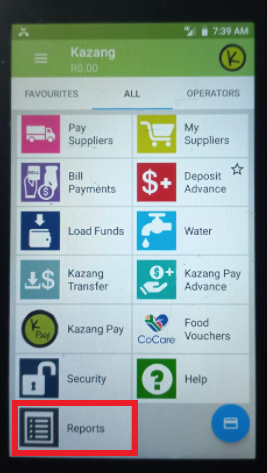
2. Select the kind of report that they want.

3. Select a date range for the report and then click on submit

4. Select how they want the report to be sent and click submit

5. Confirmation message to advise that the report was requested successfully

6. Once report is received, open it and insert your account reference as the password


*Have we missed anything in this article?
Email jason.ariefdien@kazang.com should you need any more information to be added onto this article.
Was this article helpful?
That’s Great!
Thank you for your feedback
Sorry! We couldn't be helpful
Thank you for your feedback
Feedback sent
We appreciate your effort and will try to fix the article