Overview
We as a company can restrict a vendor from trading in the event that they have outstanding payments with us and there has been numerous failed attempts in making any payment arrangements to clear the balance that is owed.
In these scenarios, we classify this as Bad Debt and the vendor's device will be subsequently locked which will lead to a stop in their trading. Outstanding balances that are not payed up by the vendor, can lead to their account being dormant.
Which of our offering products can lead to the vendor having their device locked due to bad debt?
All though we have a vast array of financial products available on offer to our vendors, a vendor's device can be locked for some but not all of the below reasons and financial services:
- Credit Advance
- Kazang Pay Advance
- Rental fee (R150) revolving
How will the Contact Centre receive this query type?
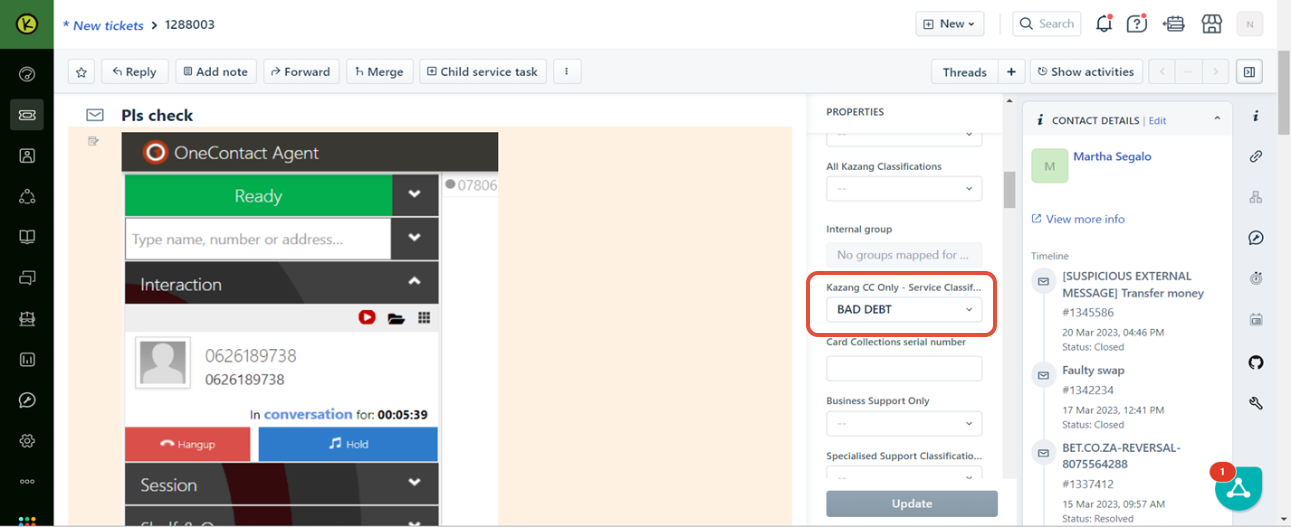
The request to resolve a locked device due to bad debt from our vendors will come through either of the two channels listed:
- Call
- Freshdesk Ticket
Locked Device due to Bad Debt Query Type Request |
 |
How does a Contact Centre resolve a device locked due to bad debt request?
The below guidance steps will assist in the Contact Centre agent resolving the query raised by the vendor regarding their locked device due to bad debt:
Contact Centre agents checks when the ticket has been received | ||
Action Step | Action Summary | Image |
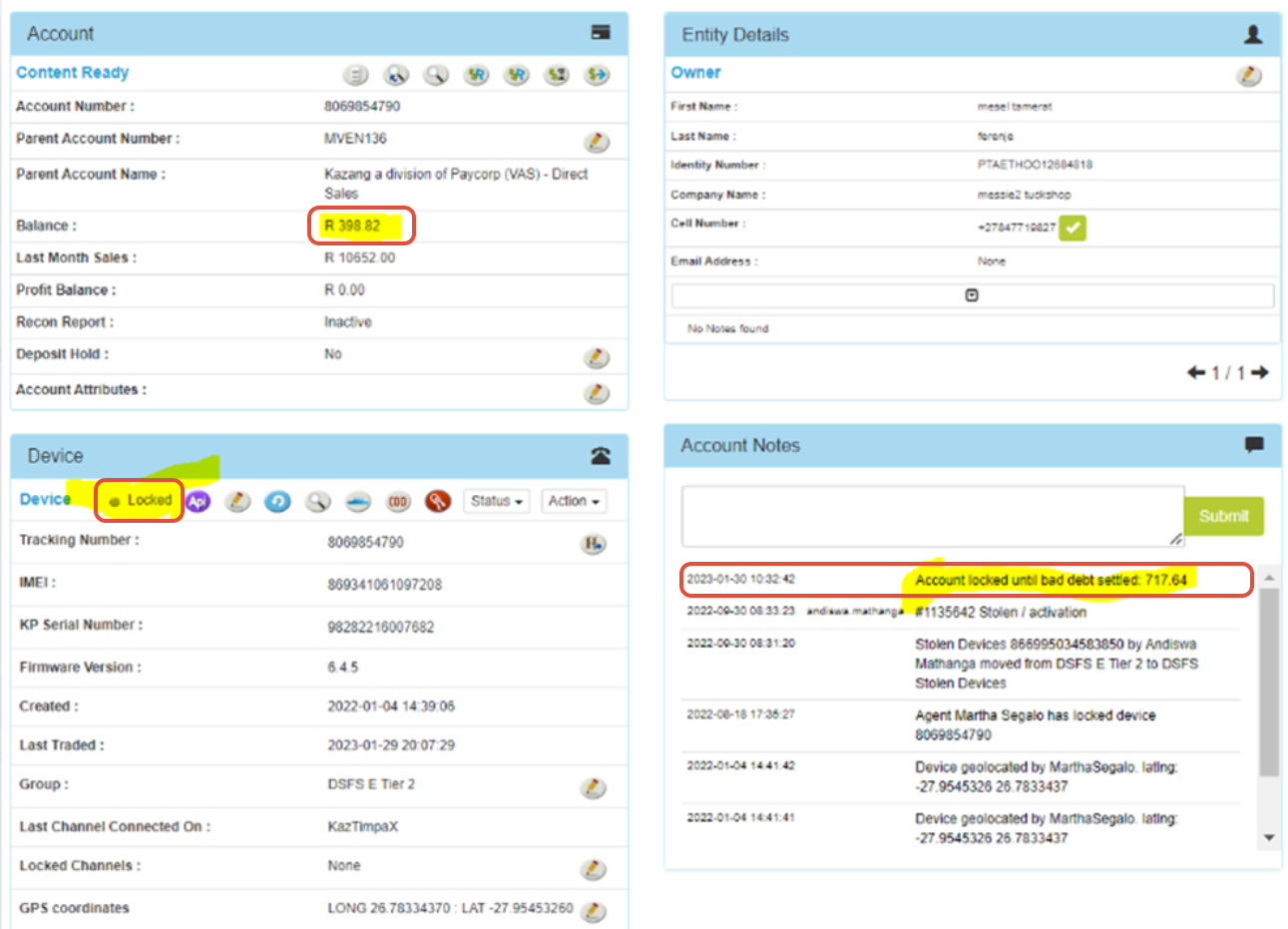
| Step 1 | The Contact Centre agent is to complete the following checks once they located the vendor's account on Content Ready:
| |
| Step 2 | Confirm on the vendors summary page on Content Ready for the above-mentioned checks |
|
| Step 3 | Confirm on the transaction summary page on Content Ready for the type of debt assigned | 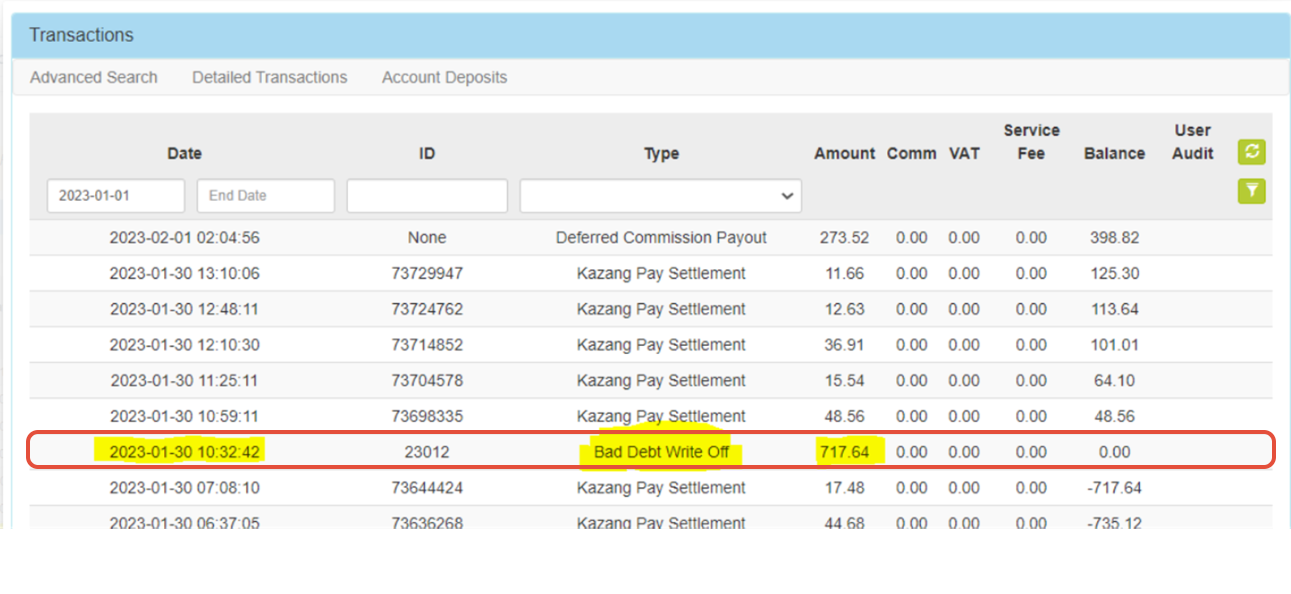 |
What does the Contact Centre do to resolve the query after completing all checks?
Action Step | Action Summary |
| Outstanding balance HAS been PAID OFF | The Contact Centre agent can now unlock the device for the vendor. It is important for the Contact Centre agent to leave accurate and clear notes of all actions taken to resolve the query. |
| Outstanding balance HAS NOT been PAID OFF | The Contact Centre agent needs to advise the vendor of the outstanding amount and reason for their device being locked. |

*Have we missed anything in this article?
Email learninganddevelopment@kazang.com should you need any more information to be added onto this article.
Was this article helpful?
That’s Great!
Thank you for your feedback
Sorry! We couldn't be helpful
Thank you for your feedback
Feedback sent
We appreciate your effort and will try to fix the article