Overview
Our vendors can now successfully locked their account for security reasons simply by sending a single text to our dedicated WhatsApp chat support line.
This feature allows all our vendors to lock their devices before thieves have a chance to vend out the airtime or take a deposit advance and use it. In most general scenarios, this process from thieves takes more or less than 5 minutes for the funds to be stolen and used, which is enough time for the vendor to use our WhatsApp device lock feature to secure their accounts.
This process is separate and does not replace the existing processes that must be followed to for stolen devices.
How does it work?
Vendor Request Information | ||
Action Step | Action Summary | Image |
| Step 1 | The needs to have our WhatsApp Support number saved as a contact on their mobile device |  |
| Step 2 | The vendor MUST send the below message including their wallet reference number "Stop 1234XXXX" It is important for the vendor to send this request using the mobile number that matches on our systems. If the number used does not match, unfortunately their wallet will not be locked. |  |
| Step 3 | The vendor will receive a response stating that their device has now been locked successfully. Instantly, Content Ready will be updated under the Device Notes section. | 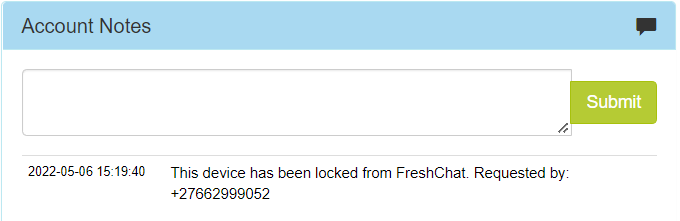 |
On Freshchat, these messages will be allocated to a group called Device Lock and will automatically get resolved once a message has been returned to the Vendor. No further action is required regarding this event. The Vendor must follow the normal prescribed process related to Stolen Devices.
Frequently Asked Questions
Question | Answer | Image |
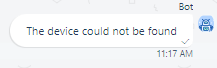
| I have sent a message to lock my account, but the account never locked. Why? | A 1: If the vendor did not receive a response or the incorrect response, then there is an active chat session open on Freshchat. It is therefore very important that Chats are resolved once completed in general A 2: In order for this feature to work, the telephone number from which the request came must be the same as the phone number that is linked to the account on CR. You will also get an error if the reference number cannot be found. The messages sent to the vendor in these instances are shown below. | 
|
Once the account is locked, are my funds safe from unauthorized use? | Yes, once you receive the confirmation that your account has been locked, the funds will not be usable until we have activated the account again. | |
| I did not lock my account, who locked it? | This feature has been built in such a way that only the cell number currently linked to the account on CR, is able to lock the account. The vendor will need to determine who was using their phone during this time. |
Escalation Matrix:
If any errors are reported with this feature, please escalate it to the Operations Technical Support ticket queue.

*Have we missed anything in this article?
Email learninganddevelopment@kazang.com or operationssupport@kazang.com should you need any more information to be added onto this article.
Was this article helpful?
That’s Great!
Thank you for your feedback
Sorry! We couldn't be helpful
Thank you for your feedback
Feedback sent
We appreciate your effort and will try to fix the article