Overview
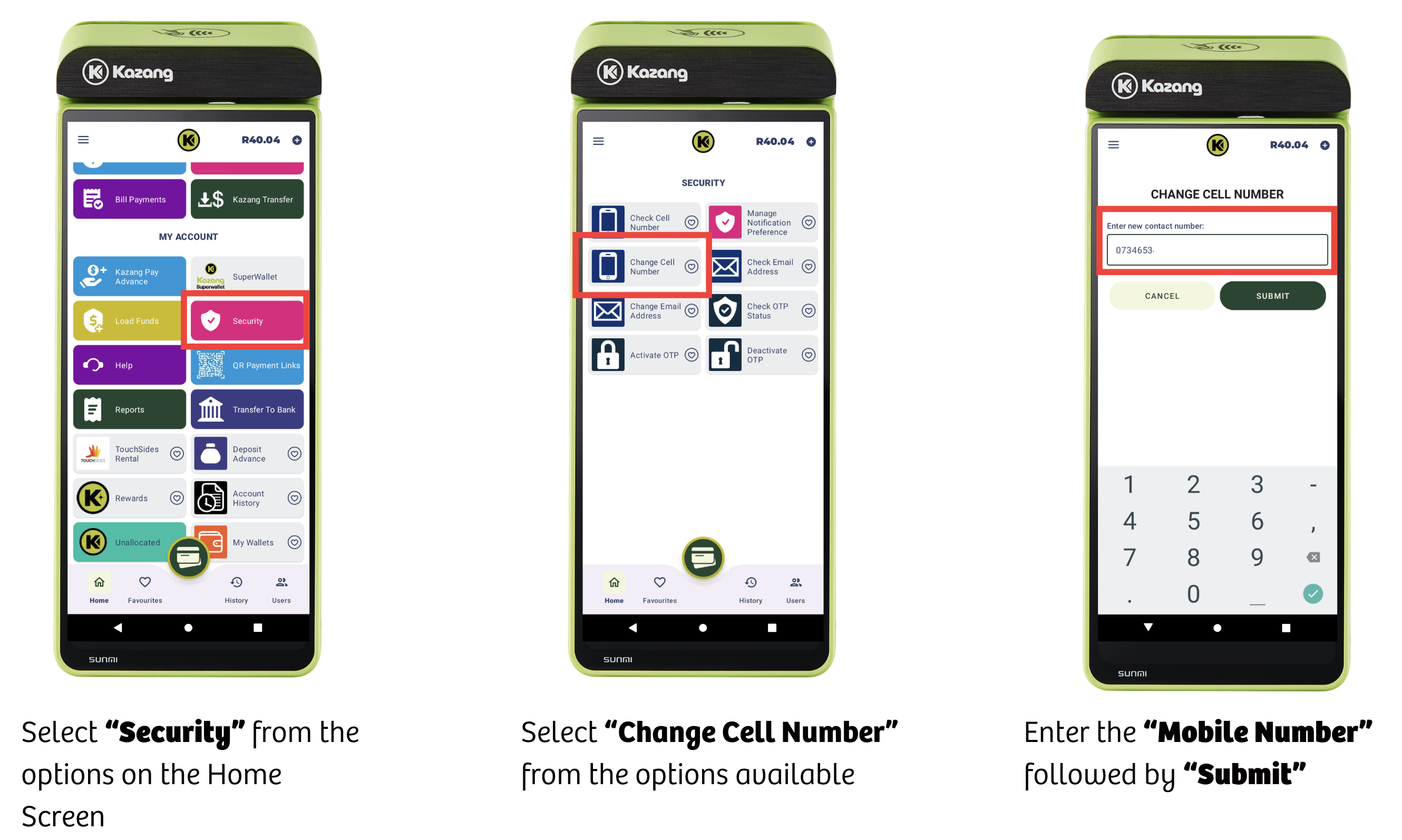
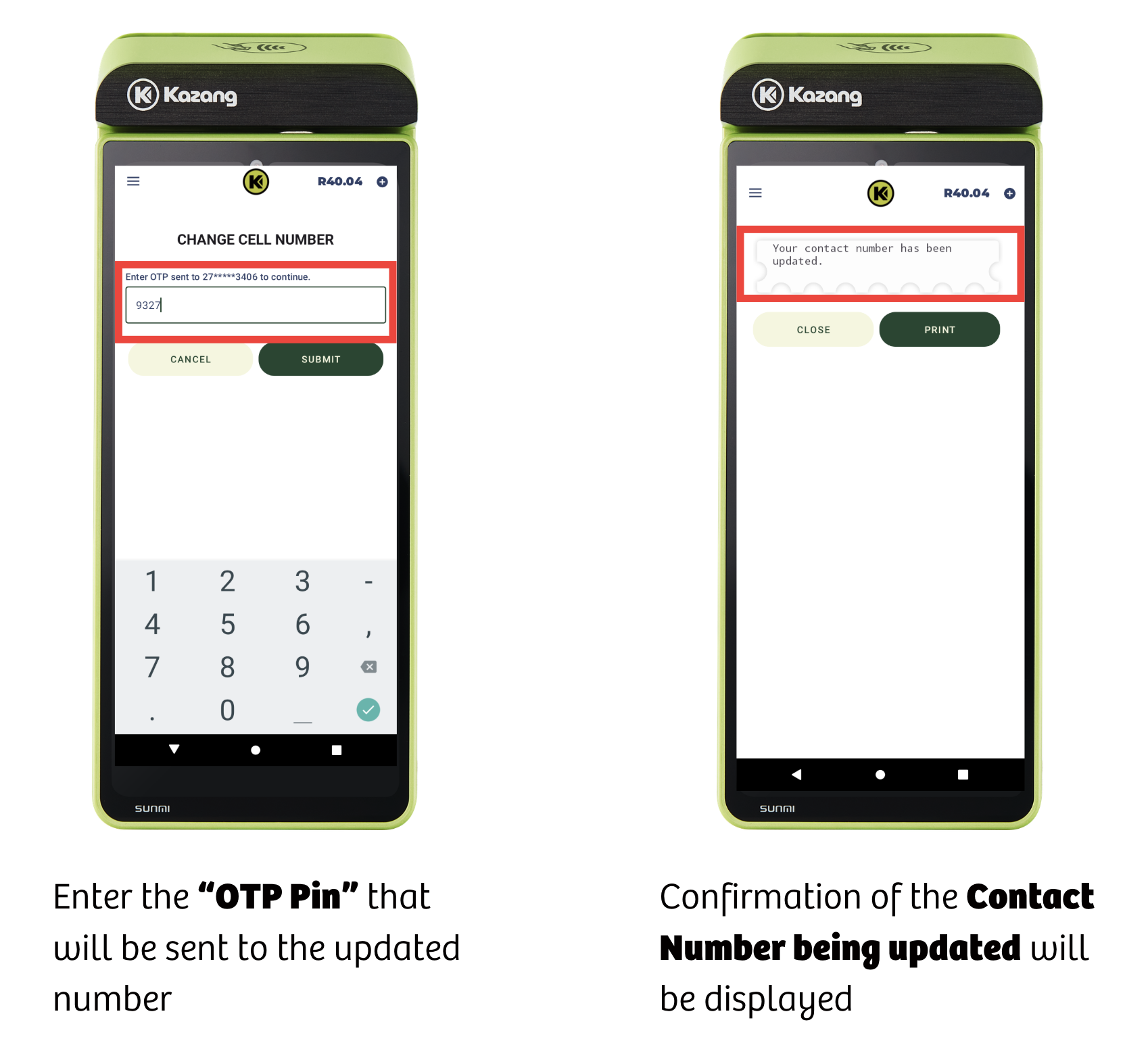
Vendors can update their mobile number directly from their device. This eliminates the time required to contact their respective Sales Rep/Agent or the Contact Centre to make this update to their account information.
Vendors keeping their contact number updated ensures that they do not miss out vital updates that can impact their day to day trading both positively or negatively.
Device Vending Flow - Updating Contact Number
Key Points to Remember
- Kazang does not take responsibility for fraud caused by shared passwords
- It is the vendor's sole responsibility to ensure that access to their device and knowledge of passwords are strictly controlled.
- Cell number change and OTP is for Owner accounts only not operator accounts
- Vendors should use these functionalities to protect their passwords
- Vendors should create secure passwords that are not easily guessed
- NEVER use "1234" or similar
- Especially with Superwallets that have a universal login
- Use a password that includes a combination of letters, numbers and capitals

*Have we missed anything in this article?
Email learninganddevelopment@kazang.com or operationssupport@kazang.com should you need any more information to be added onto this article.
Was this article helpful?
That’s Great!
Thank you for your feedback
Sorry! We couldn't be helpful
Thank you for your feedback
Feedback sent
We appreciate your effort and will try to fix the article