Overview
Our vendors can now send a call-back request via our tickets platform (help@kazang.co.za). The subject line must read Please call me. The vendor would request us to call them back on a specific number that they would have provided to us. Together with the issue at hand and the ref number as well.
NB! Each device is allocated or is subjected to one please call me per day.
How to send a Please Call Me from the Kazang Timpa X device.
Step 1:
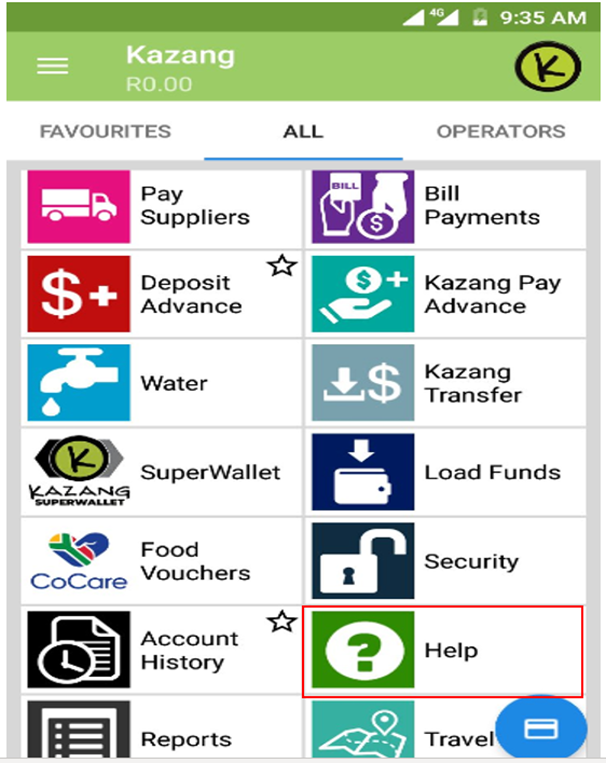
• On the device main menu on the device, you will scroll down to HELP icon and click on it
Step 2
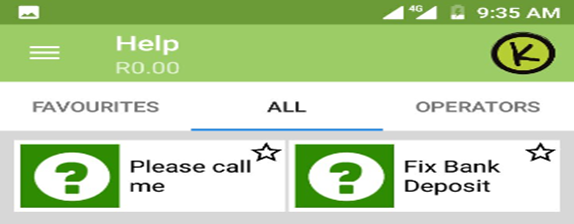
• Once you in the HELP menu, the below screen will show.
• You will select “Please Call Me”.
Step 3
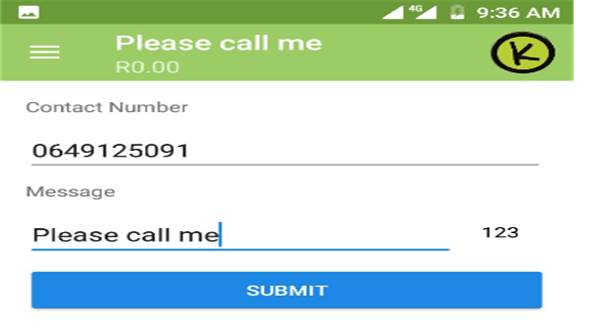
• Contact number: You put the contact number you want to be contact on.
• Message: You type Please call me or the key word of the nature of the query
• Press submit for the message to be send.
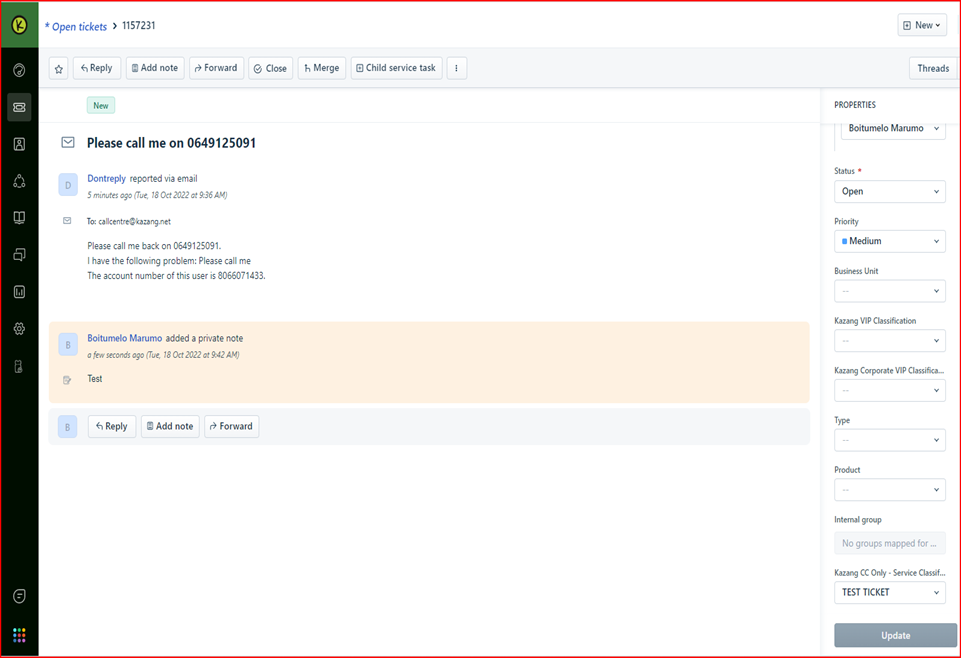
The ticket will look like this when you get it from our end.
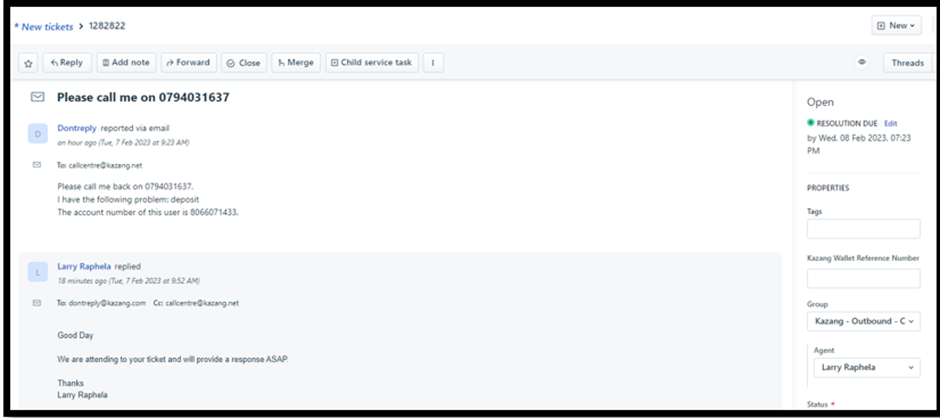
How we action the Please Call Me request
We still do a first response on them even though they are no reply e-mail this is for the sake of first response rule.
Who handles the Please Call Me
• These types of call are being handle by the outbound team.
• After been assigned to ticket from the inbound group, the outbound will need to change the group from Inbound to outbound and make a call.
First response that can be used:
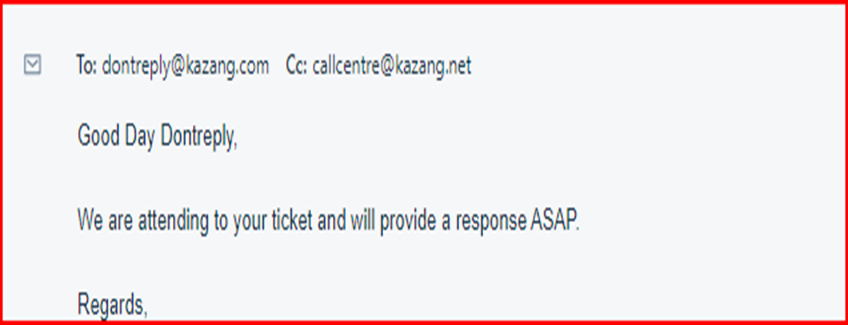
And you can make that call to the vendor and start probing.
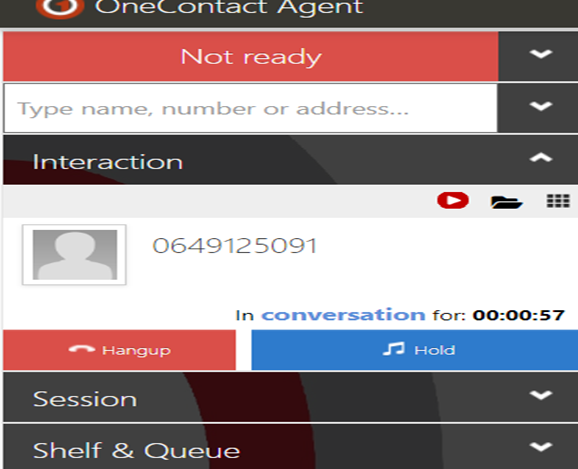
NB Add clear notes not only the screenshot of the call.
Outbound script that the team will use:
Good day sir/madam you are speaking to Nthabiseng Dichabe I am calling you from Kazang Connect.
Is this a convenient time for us to speak?
Yes: Thank you very much I am calling regarding the please call me request that you have sent us
If I may ask, who am I speaking to? Thank you.
John How may we assist you today?
No: Kindly provide me with a convenient time that I can call you back, or you are welcome to send us any of your queries to 3 of our other platforms which are email help@kazang.com, what’s app chat 0718712173 call us direct on 011 581 6700.
Invalid number/ voicemail, the consultant will check on CR BEFORE closing the ticket for an alternative number to call.
Wallet reference: IF the vendor provides IMEI the consultant needs to check the reference number on CR for recording purposes
The process is to call the vendor twice in one day and send an email then close the ticket.
It is the consultant’s responsibility to monitor the customers response after pending the ticket.
- If the vendor is unreachable after the second call, the consultant will send an email and close the ticket.
- If the vendor’s query is not included on the outbound scope, the consultant will move the ticket to Kazang Inbound on Freshdesk and change the subject line.
Always use the Canned response for sending the email
Always remember to Tag
Classification - classify as per the outcome of the query.
Subject line - update as per the outcome of the query
*Have we missed anything in this article?
Email operationssupport@kazang.com should you need any more information to be added onto this article.
Was this article helpful?
That’s Great!
Thank you for your feedback
Sorry! We couldn't be helpful
Thank you for your feedback
Feedback sent
We appreciate your effort and will try to fix the article