Navigate to DEVICE STOCK – ADD SHIPMENT BATCH :
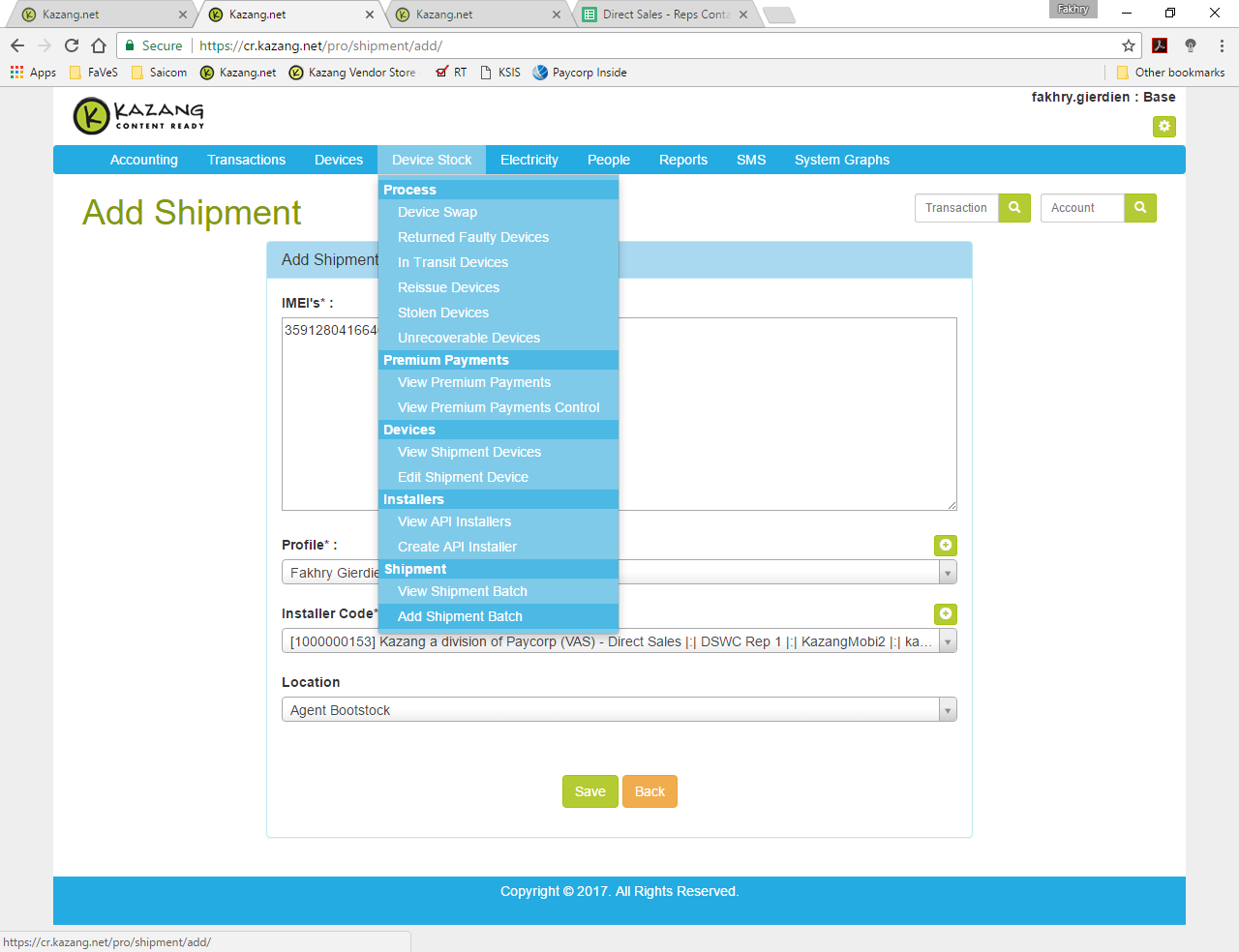
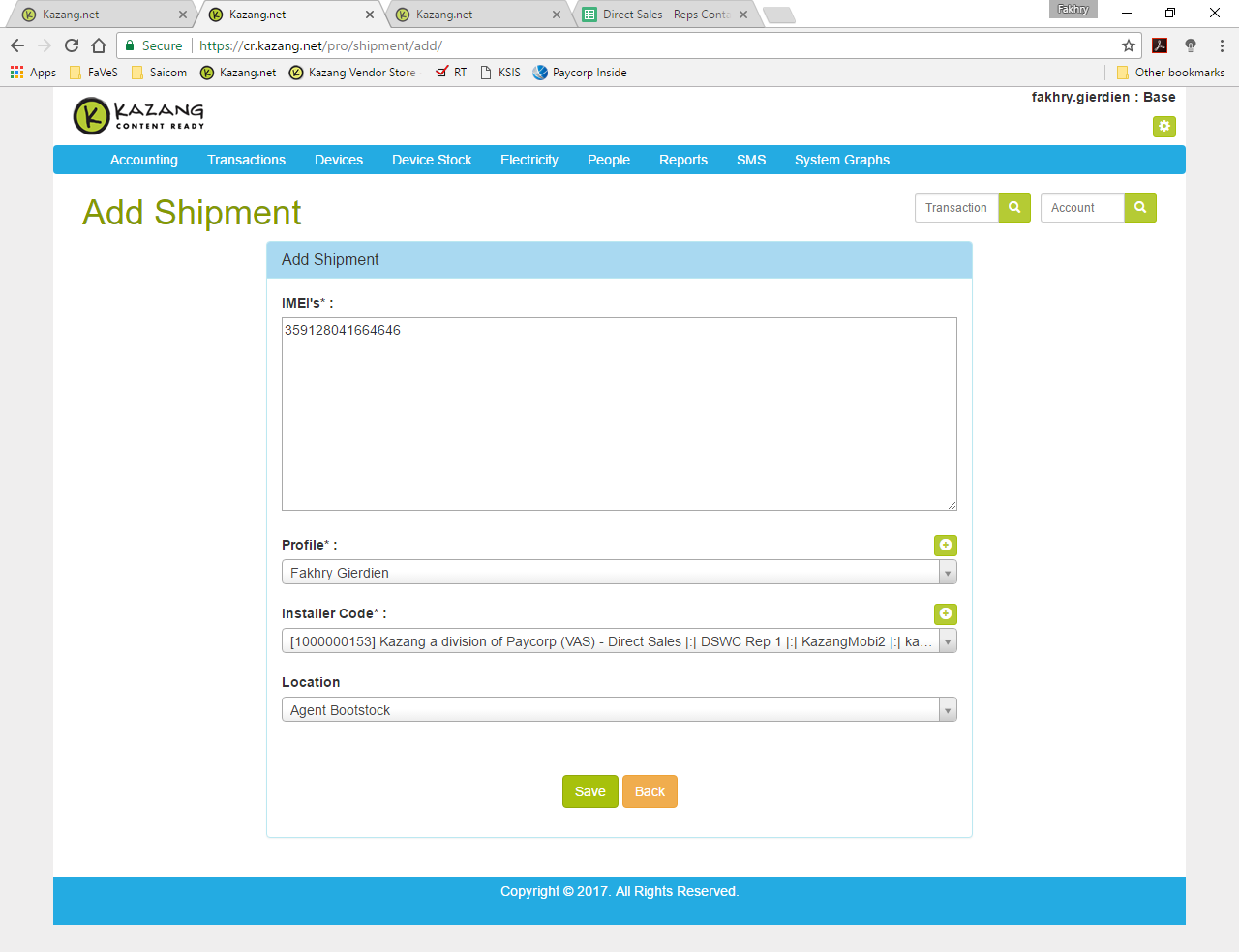
Then insert the IMEI’s, select a profile (this will be the REPs name), select an Installer Code.
And lastly, choose a Location :
Agent Boot stock (This puts the device in the REPs boot stock) or,
Client Venue (This is chosen if the device is already in use and is installed at a site)
Was this article helpful?
That’s Great!
Thank you for your feedback
Sorry! We couldn't be helpful
Thank you for your feedback
Feedback sent
We appreciate your effort and will try to fix the article