Overview
MyCiTi is a bus service that operates in Cape Town and has now become an affordable alternative for Cape Town residents to travel in and around Cape Town. With routes that range from the CBD of Cape Town all the way to the touch points of the Southern Peninsula.
MyCiTi has been using ABSA card machines for customers to top-up their travel cards at the various pay points and kiosks around Cape Town. In partnership with Kinnektek, Kazang has offered MyCiTi a proposal to streamline the method in which customers can top-up their travel cards.
Customer Journey
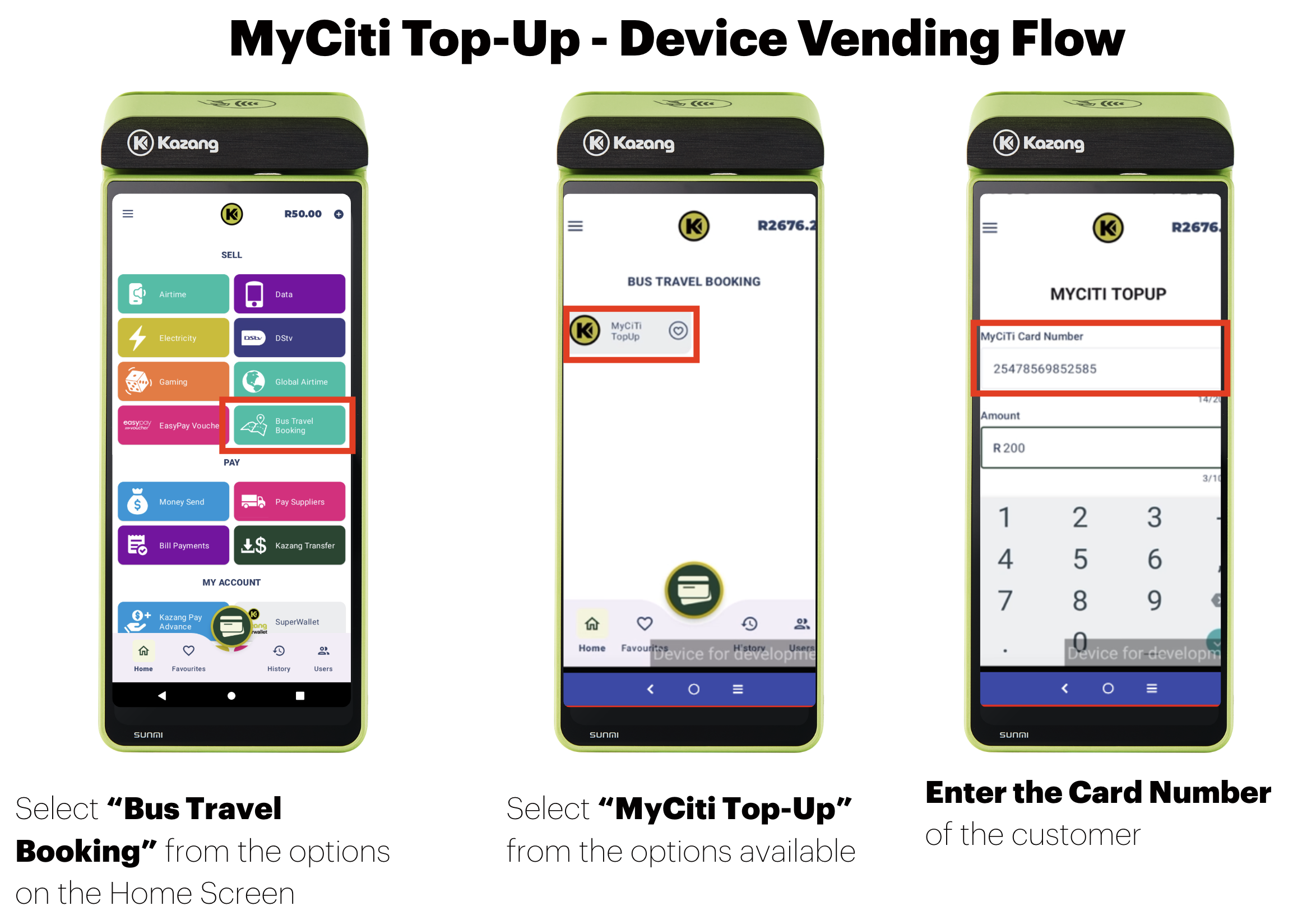
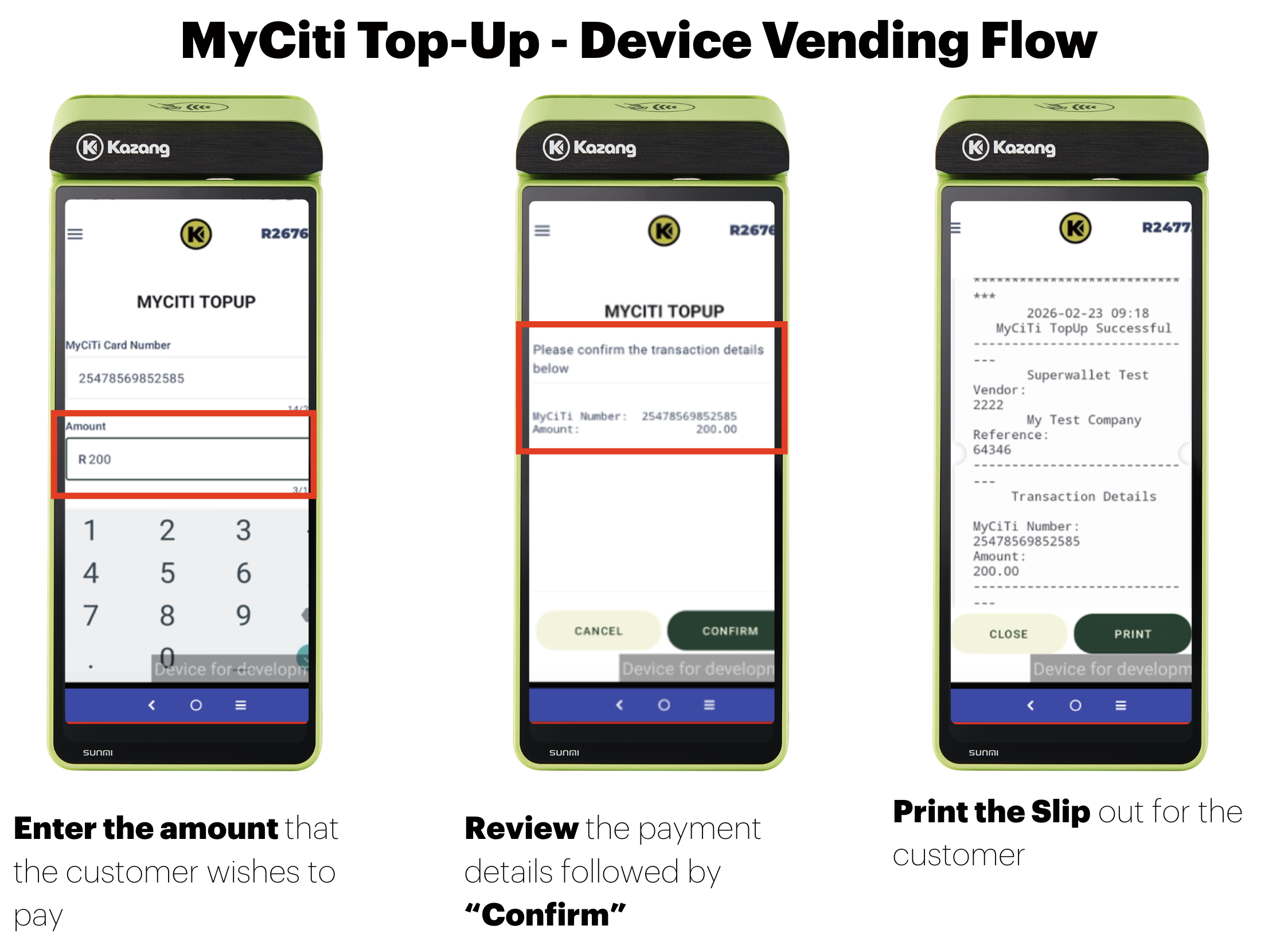
MyCiTi customers can top-up their accounts at any of their nearest registered Kazang vendors that offer the MyCiTi top-up services. Following these simple steps, customers can top-up their balance to continue to enjoy the travel services that MyCiTi has on offer.
| Action Step | Action Summary |
| Step 1 | Visit their nearest registered Kazang vendor that supports MyCiti top-ups |
| Step 2 | Provide the vendor with their MyCiTi card number |
| Step 3 | Pay using any of the payment methods supported by the vendor (e.g., Cash or Card) |
Vending Information - Topping Up the MyCiTi Card
Frequently Asked Questions
Question | Answer |
| What do I do if the customers states that their card has not been topped up? | It is the customer's responsibility to provide and confirm with the vendor the correct MyCiTi card number. If an incorrect card number is provided, the funds will be allocated incorrectly, and the vendor is not responsible for this error. |
| When will the funds be updated on the customer's MyCiTi card? | The customer's funds will be updated in real time after completing their purchase with our vendors. Customers can check their balance using the MyCiTi mobile app or when they tap their card on the bus. |
| How will the funds be deducted for each MyCiTi purchase completed by the vendor? | The funds will be deducted directly from the vendor's wallet, and with the payment via either card or cash, the vendor will be compensated. It is important that the vendor MUST FIRST complete the transaction to load the customer's card before completing the payment. |
| What do I do when the vendor has stated that they do not have the MyCiTi services on their Kazang device? | Kindly explain to the vendor that these updates will be managed in a phased rollout. As the app gets updated, the option to top up the customer's MyCiTi card will be made available. |
*Have we missed anything in this article?
Email learninganddevelopment@kazang.com should you need any more information to be added onto this article.
Was this article helpful?
That’s Great!
Thank you for your feedback
Sorry! We couldn't be helpful
Thank you for your feedback
Feedback sent
We appreciate your effort and will try to fix the article