STEP 1 Once a call or Ticket is logged by Fred, He will provide GI, IMEI number and also SIM serial Number and sim Number
STEP 2 Go to Gasp - Under CRM Depending on what is provided input GI/Device IMEI number on the serial number Box
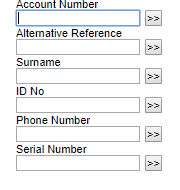
STEP 3 After you have Entered IMEI Number on the Serial Number Box
You need to copy the IMEI Number from the Serial number Box to the IMEI Number Box and Search
STEP 4 Once the Device or the GI appears it will appear with an MSISDN or without it Meaning it has been suspended
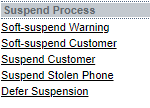
STEP 5 Then If the Device appears with MSISDN you need to suspend the customer
STEP 6 Click on swap sim
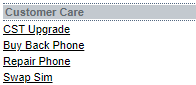
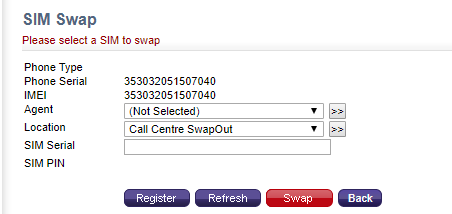
STEP 7 Once clicked on swap sim
enter Simserial provided and Click swap
Was this article helpful?
That’s Great!
Thank you for your feedback
Sorry! We couldn't be helpful
Thank you for your feedback
Feedback sent
We appreciate your effort and will try to fix the article